

ScrimTime Lite
Current Mod Version: 1.73
Last Tested Game Build: 16 June 2026
Introduction
ScrimTime is the ultimate tool for competitive Overwatch teams looking to streamline their scrimming process and improve player performance through statistical analysis. Its continued improvement is fueled by feedback from its users, including numerous Overwatch Champions Series (formerly League and Contenders) and World Cup teams.
This is the Lite Version, which does NOT include the Spectator Scoreboard or Log Generator, providing improved performance for teams which do not need those features.
For the full version, which includes the Spectator Scoreboard and Log Generator, use ScrimTime.
Feel free to leave a comment or contact me on Battle.net at Caldoran#1123 for any help, feedback or feature requests!
Customisation
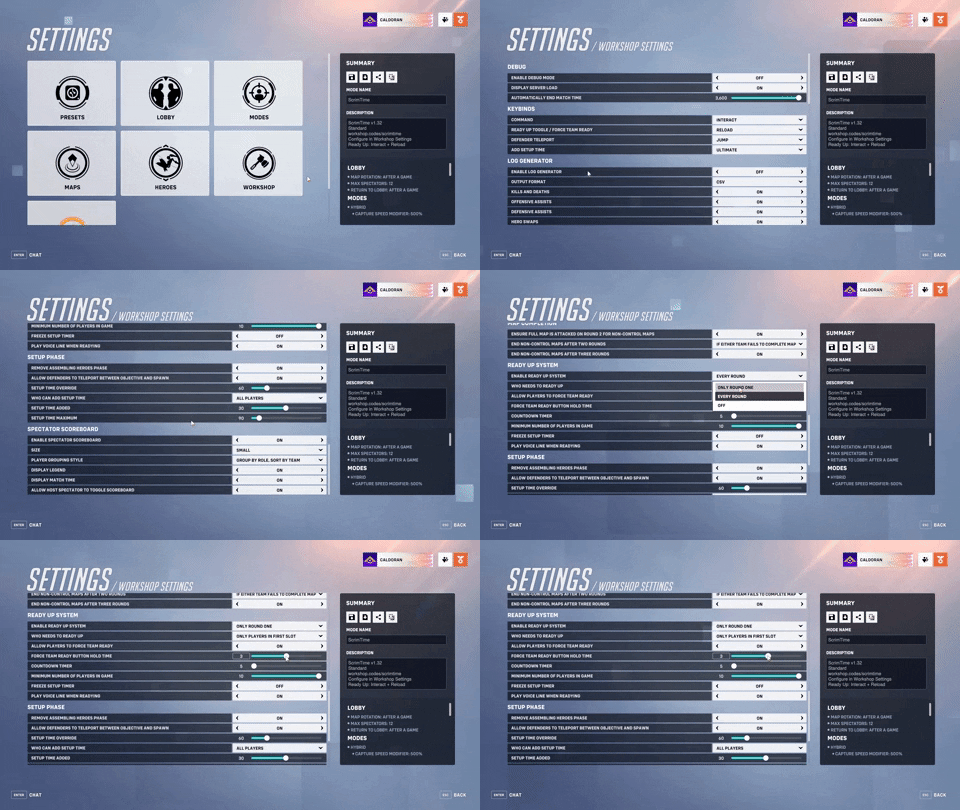
Easily tweak, adjust or toggle every feature to fit your specific needs and preferences in the Workshop Settings page — no coding needed! The keybinds can also be changed to your liking.
Note: The default "Command" button is Interact. That means that every feature uses a combination of Interact and another button (e.g. Interact + Reload to ready up).
Multi-Language Support
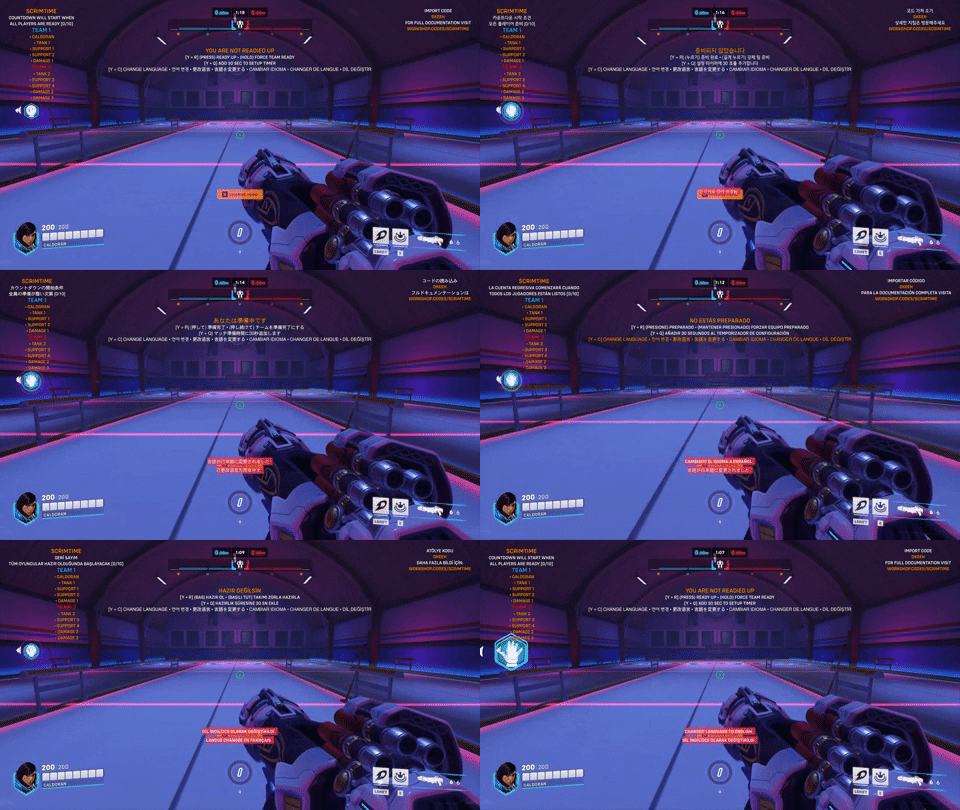
Have players of different languages in your scrims? By pressing Interact + Crouch (Default: F + CTRL) during Setup time, players can change the text language they see for the mod on an individual basis.
Want to report an error, offer to translate or request for a language to be supported? Leave a comment or contact me on Battle.net at Caldoran#1123!
The following languages are currently supported:
| Language | Proofread and Edited By |
|---|---|
| English | Caldoran |
| Korean (한국어) | junseo |
| Simplified Chinese (简体中文) | Caldoran |
| Japanese (日本語) | pion |
| Spanish (Español) | Desastreger |
| French (Français) | Slayz |
| Turkish (Türkçe) | Berk |
Note: Though all languages have been proofread by native speakers, initial translations were provided by ChatGPT; I apologise for any errors or oversights in the translations.
Ready Up System
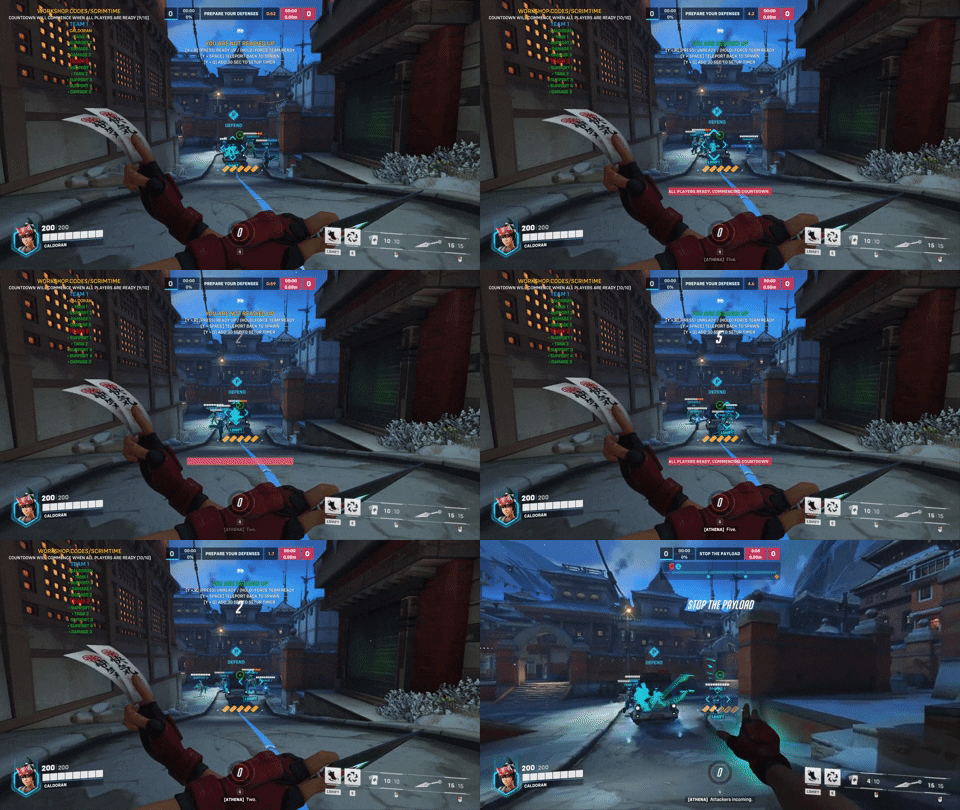
The Assemble Heroes phase has been removed, and matches will immediately begin in Setup.
Players can toggle their ready status by pressing Interact + Reload (Default: F + R). Ready players will have their name in green instead of yellow on the HUD.
When all players are ready, the Setup timer is cut to 5 seconds. If anyone unreadies during that time, the timer will be reset until all players are ready again.
The match will also begin as normal when the Setup timer naturally runs out.
Forcing Team Ready
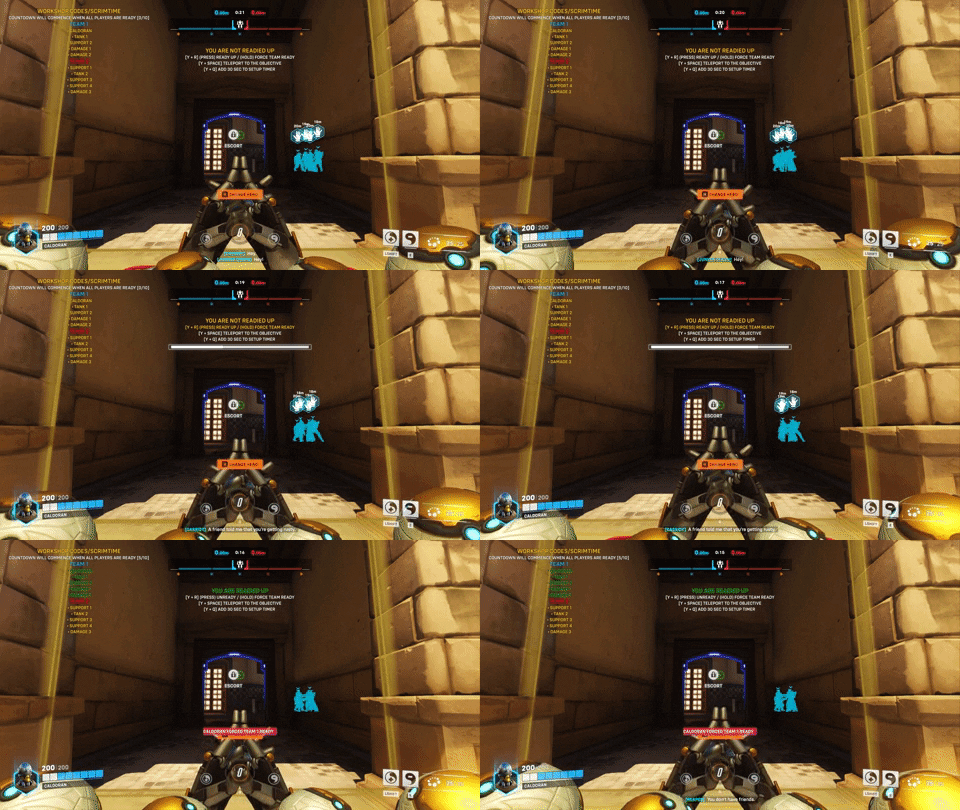
Players can force their entire team to ready up by holding Interact + Reload (Default: F + R) for 3 seconds.
A bar will appear that fills up as players hold the keybind. Once it's filled, the player will force their entire team to ready up.
Adding Setup Time
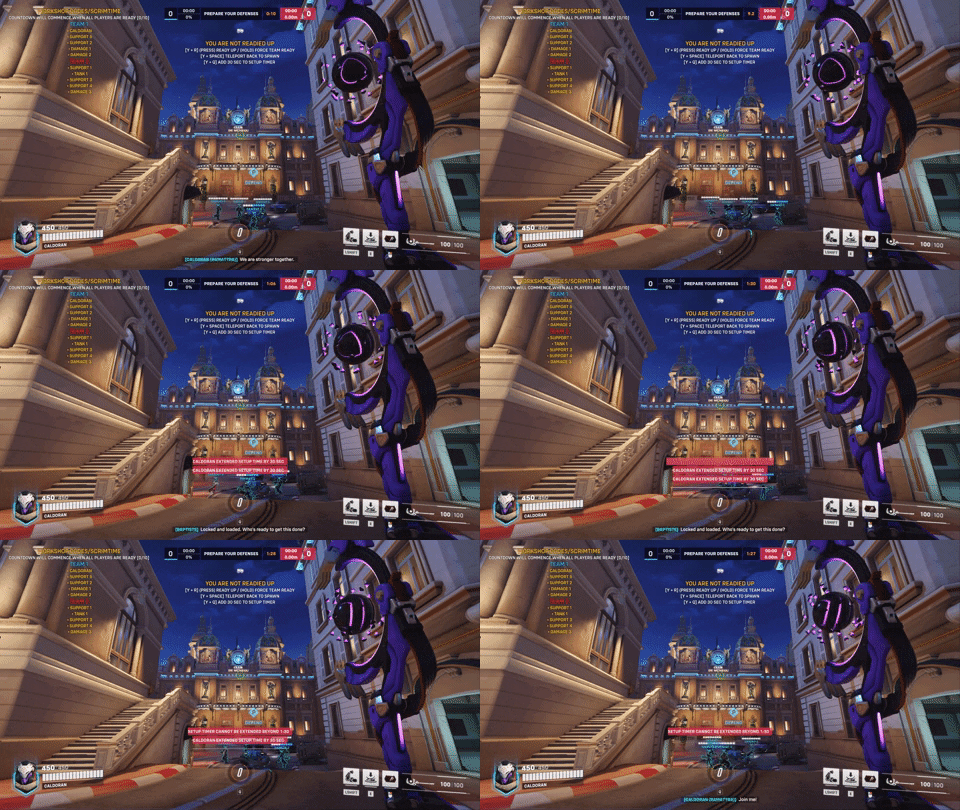
If more time is needed during Setup, players can add 30 seconds to the Setup timer, up to a maximum of 1:30, by pressing Interact + Ultimate (Default: F + Q).
Teleporting for Defending Team
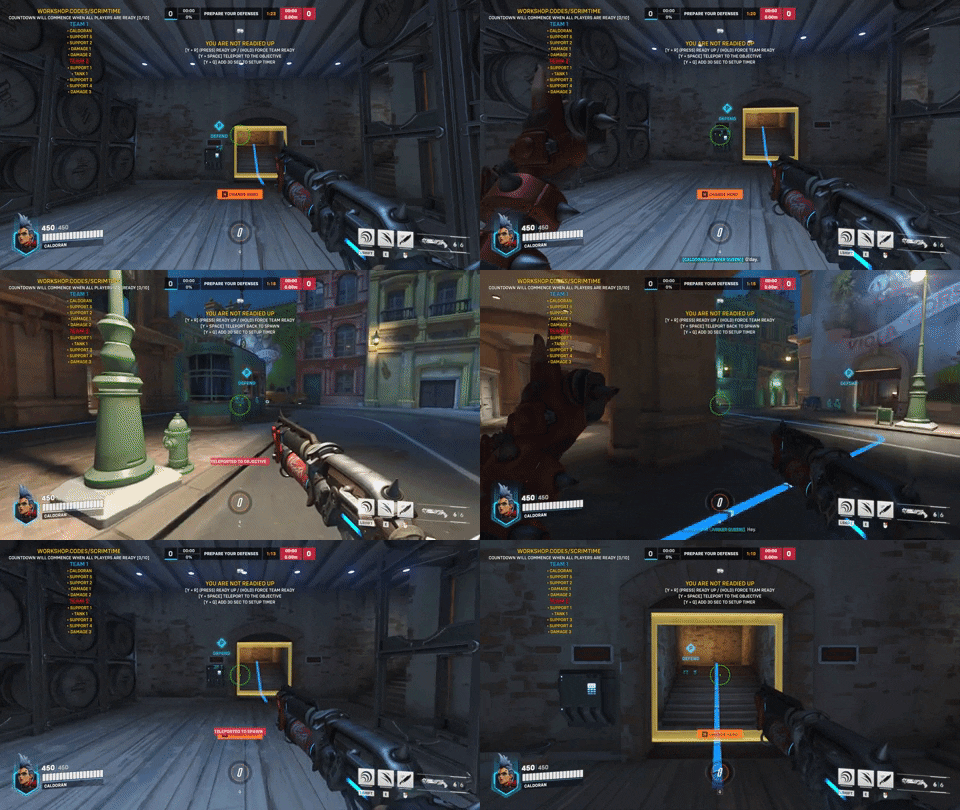
For convenience, players on the defending team can teleport between the objective and spawn during Setup time by pressing Interact + Jump (Default: F + Space).
Force Map Completion
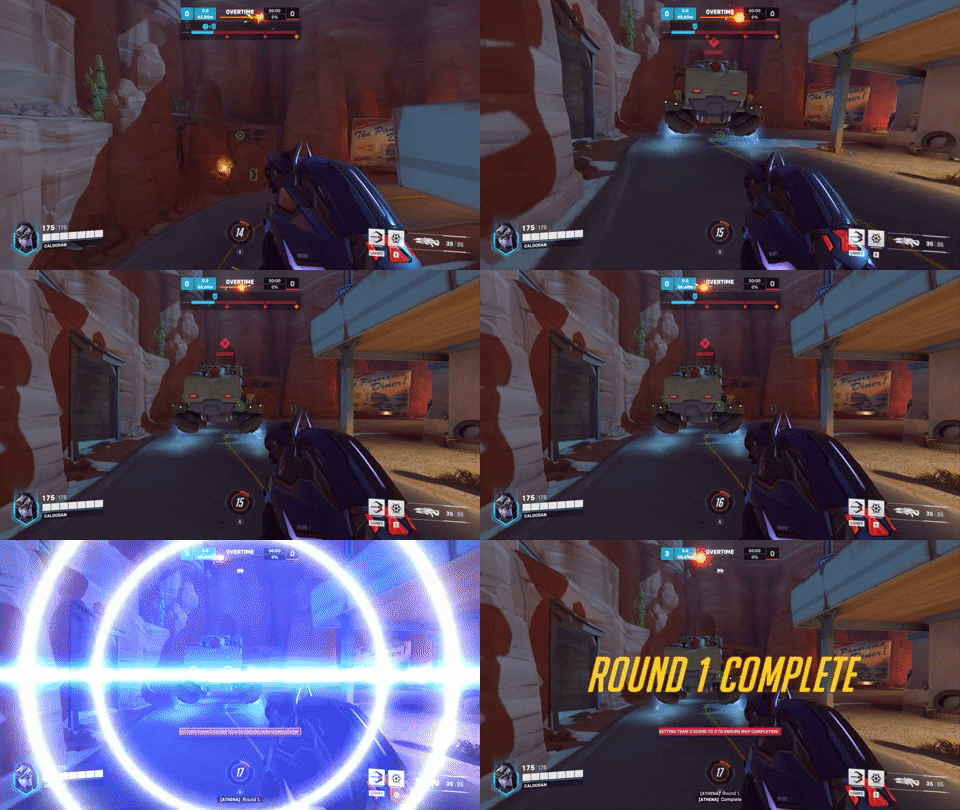
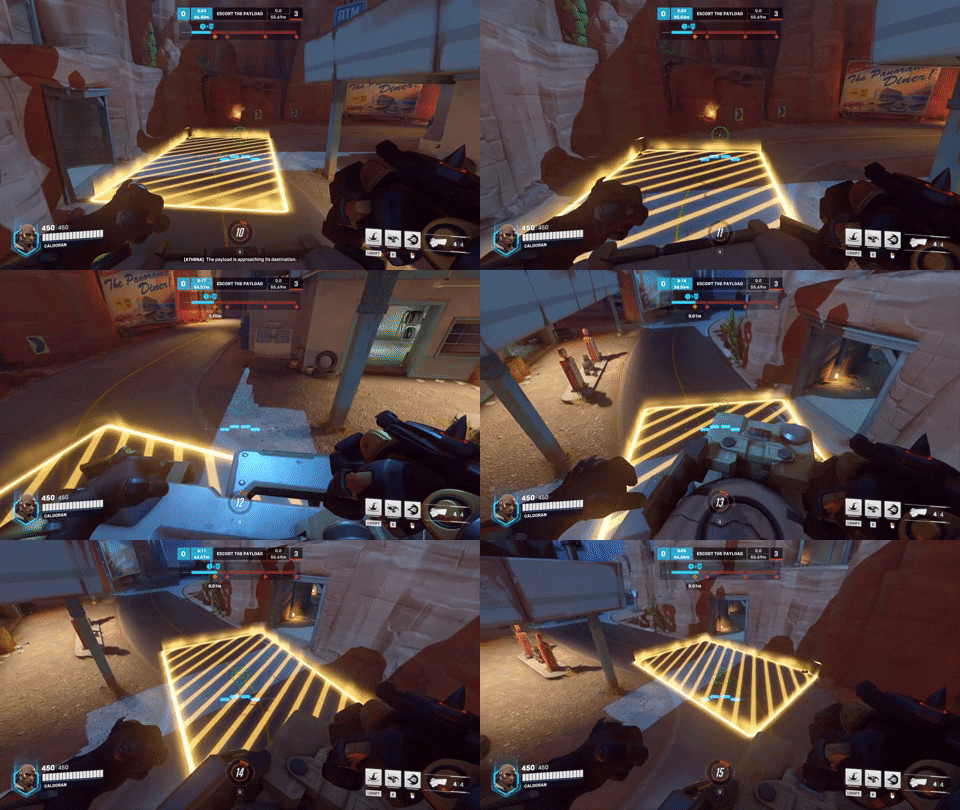
In the event that the attacking team is unable to capture the final point during the first round of non-Control maps, their score will be altered to allow the opposing team to play the full map in the second round. This eliminates the need for manual team switching and restarting.
Control maps can also be forced to end after three rounds, and Flashpoint maps after five captures.
Credit
While this mod was inspired by Seita Scrim Lobby, no code was copied, modified or reused.
Thanks to Arissi for suggesting this variant of ScrimTime and for testing which features had the most performance impact.
No credit necessary for usage of this mod. I politely ask that you include credit if you directly modify or otherwise use my code in a significant way.
Contact
Feel free to leave a comment or contact me on Battle.net at Caldoran#1123 for any help, feedback or feature requests!
Sources
This post utilizes other codes either in part or in full. This could be because they remixed them, used parts of them, were inspired by them, or other reasons.
Controls
 +
+
 +
(Press)
+
+
(Hold)
+
+
(Press)
+
+
(Hold)
+
 +
+
 +
+

 +
+
 +
(Press)
+
+
(Hold)
+
+
(Press)
+
+
(Hold)
+
 +
+
 +
+
 +
+
 +
(Press)
+
+
(Hold)
+
+
(Press)
+
+
(Hold)
+
 +
+
 +
+
 +
+
 +
(Press)
+
+
(Hold)
+
+
(Press)
+
+
(Hold)
+
 +
+
 +
+

Source code
Loading...




2 Comments
Thank you Caldoran, very cool
❤️