

View original size
View original size

View original size

View original size

View original size

View original size
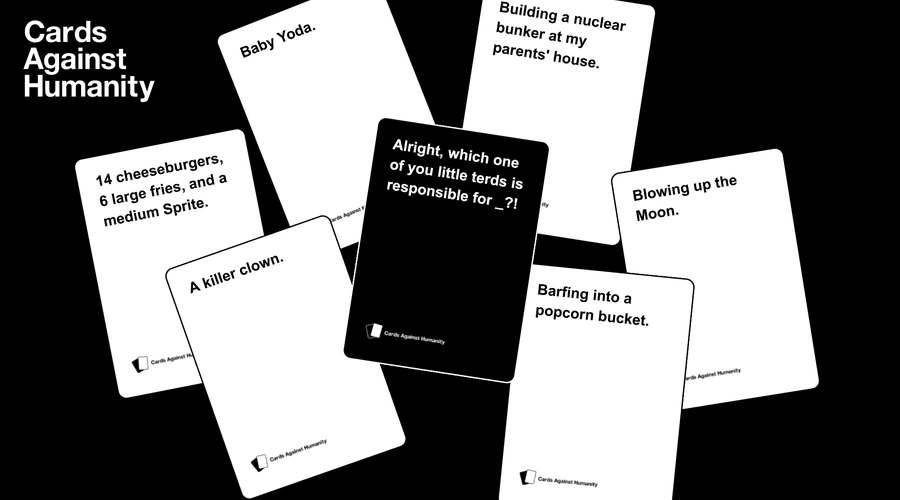
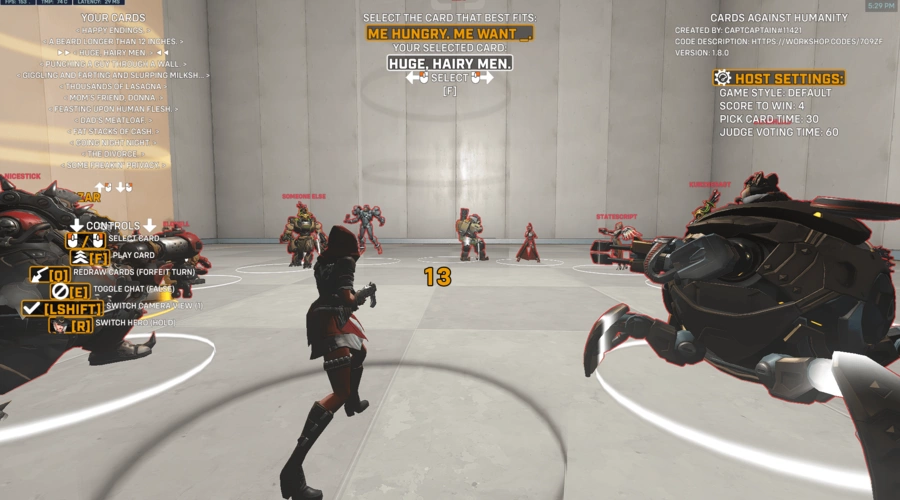
Cards Against Humanity A fill-in-the-blank party game that turns your awkward personality and lackluster social skills into hours of fun! Each round, one topic card is provided, and everyone else answers with their funniest card.
- Play with up to 12 players!
- Over 600+ cards and topic cards that rotate every update.
- While You Wait: Players who are queuing for a match may also join in during the game.

To access Workshop Settings, head to Lobby, then Settings, then Workshop Settings.
| Setting | Setting Description |
|---|---|
| Score to Win | The score that a player must reach to win. |
| Pick Card Time | The time given for players to select a card. |
| Judge Voting Time | The time given for the Judge to select a card. |
| Max Cards Per Player | The max amount of cards each player can hold. |
| Enable Bots | Determines if bot players will spawn in to play the game. |
| Skip Assembling Heroes | Determines if assembling heroes will be skipped. |
| Enable Inactivity Kick | Determines if inactive players will be kicked from the game. |
Source Code: https://github.com/CaptCaptain/card-game
This gamemode is based on the Cards Against Humanity card game by Cards Against Humanity LLC: https://www.cardsagainsthumanity.com/
Have any suggestions / bug reports? Leave them in the comments!
Sources
This post utilizes other codes either in part or in full. This could be because they remixed them, used parts of them, were inspired by them, or other reasons.
Players |
3 - 12
Categories:
Free for all,
Minigames
Created at:
Last updated:
Current version:
1.9.2
Share URL:
https://workshop.codes/cardagainsthumanity
Controls
Primary Fire
Select (Left/Up)
Secondary Fire
Select (Right/Down)
Interact
Play Card/Confirm
Ultimate
Get New Cards
Ability 2
Toggle Chat
Ability 1
Change Camera View
Hold
+
Reload
Change Hero

Select (Left/Up)

Select (Right/Down)

Play Card/Confirm

Get New Cards

Toggle Chat

Change Camera View
Hold
+

Change Hero

Select (Left/Up)

Select (Right/Down)

Play Card/Confirm

Get New Cards

Toggle Chat

Change Camera View
Hold
+

Change Hero

Select (Left/Up)

Select (Right/Down)
Play Card/Confirm

Get New Cards

Toggle Chat

Change Camera View
Hold
+

Change Hero

Select (Left/Up)

Select (Right/Down)
Play Card/Confirm

Get New Cards

Toggle Chat

Change Camera View
Hold
+

Change Hero




13 Comments
How can i get my hud to work
Hi there! I made an account on this site just now because of this custom - I'm really enjoying it and so are the friends I've brought in it! Thank you so much for this.
Some notes, for when if/when you want to update this:
Black and White cards seem to only alternate between the same 10-20 cards, but the randomizer is helping enough that it's not terrible.
The Column Cage (or whatever it is that keeps players in the same spot) seems to have a weird, almost angular hit box that it jostles the 1st player camera some? dunno if that could be a fix.
I think that's all I've noticed so far but yeah! I love this <3
Hey there! Glad people are still enjoying it.
I've lessened the restrictions on how far you can step out so the camera shake is less of an issue.
The lack of cards was from a previous change to prevent loading issues or missing huds. I'll be reverting it since it may have been fixed, but let me know if you encounter it yourself.
playing this mode is like committing fraud on so many levels
“Error: Invalid Map Setting” pops up when putting in the code.
Just wondering if it's possible to modify the host settings in OW2 , or is has to be done in the script itself.
The Workshop is partially disabled so host settings can't be modified through Workshop Settings. You will have to manually edit the script.
Hey man, on console the cards and answers show up as gibberish please fix if you can
Hey there, unfortunately this is an issue with the current Overwatch patch and not the workshop gamemode. There’s nothing I can do.
Restarting your game may fix the issue.
when i try play this with some of my friend i cant see my cards on the screen.
Hey there, thanks for letting me know.
Hi same thing happened to me, no UI at all, cant see anything. I can still select cards just dont know where they are, or anything. I was host if that helps.
Thanks for letting me know, it seems to be a loading issue due to the large workshop script size. I'll push out an update that will hopefully fix it.