
Altwatch (Alpha)

This code is over 6 months old. The code may have expired and might no longer function.
Very early build of my game mode where I give every hero some interesting changes. Open to sugestions, might be buggy since it's early so lmk if there are any bugs!
3v3 but you can change it. Also capture points, respawn rate and payload speed increased but change to your preference
Every role gets ult passively, DPS gets theirs the fastest, then support and then tanks
DPS
Assassins
Damage heroes with high mobility, high burst damage, but the lowest HP
 Pharah
 Health
- 225 normal/50 armor
 Passive 1: Prefer the air
- Has better horizontal movement and faster projectile speed in the air but now has a vertical cap
 Jets
Jets
- Now has unlimited fuel but has a heat meter
- Cannot use jets, jump or jet abilties for 5 seconds if heat meter is full and will fall to the ground dealing damage to her and those around her
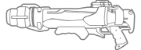 Rockets
- Now lights people on fire
- 4 Rockets
 Concussive
- Deals 100 damage to people on fire but cleanses them of burn
- 4s cooldown
Jet dash
- Now launches forward instead of upward
- No CD but fills heat meter
Backdraft
- Pressing interact launches Pharah back
- No CD but fills heat meter
 Rocket Barrage
- deals lots of burn damage
 Soldier 76
Health
- 275 normal
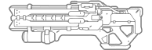 Pulse rifle
- Damage increased to 250%
- 3 burst gun
 Firework rockets
- Helix rockets now do an additional hit that deals 25 damage and launches upward
- 4s cooldown
 Sprint
- The lower his HP is, the faster he runs
 Biotic Field
- Cleanses effects such as burn/bleed/freeze
- 12s cooldown
Wavedash
- Pressing sprint and crouch at the same time will make soldier slide
 Tac Visor
- Swaps the firework rockets for stronger rockets while in ult and they have no cooldown
 Venture
Health
- 250 Normal
 Drill pin
- Melee roots for it's duration then knocks enemies down for 1s
 Burrow
- While burrowed moves at 2x speed
- Using drill rush while burrowed deals 50 extra damage
- Lasts 6s
- Cd 4s
 Drill rush
- Launches enemies away amd deals an extra 80 damage at the end of drill rush
- Cooldown while underground is 2 seconds
- Drill rush cooldown is 2 seconds while underground
- Cd 4s
 Tectonic quake
- Those hit by this ult will be knocked down for 1s
 Hazard
Health
- 150 normal/125 Armor
 Passive: double jump
- Has a double jump
Sword Melee
- Melee deals more burst damage and does damage over time
 Primary
- 1 bullet
- Deals damage over time and after 1 second it deals a burst of 50 damage
 Spiked tackle
- Is now a tackle that damages those in his way dealing 50 damage
 Crazed leap
- Is faster and travels farther
- Deals more damage and damage over time
 Drink
Drink
- Spiked wall replaced with drinking
- Hold the button down to increase the drink meter, it does go down if you don't keep drinking
- The more it's filled the more damage Hazard does but his sensitivity will increase as well.
- If it reaches max charge he will knock out for a random time between 1-10s
 Downpour
- Deals damage overtime, then a burst of 100 damage after 1s
 Sombra
Health
225 Normal
Backstab
- Meleeing someone from behind instakills
Sprint
- Hack replaced with sprint where she moves much faster but can't use her gun or abilities
 Virus
Virus
- CD reduced to 1.5s
- Hacks targets for it's entire duration
 Translocator surprise
- CD reduced to 6s
- Damages those within her radius dealing 75 damage
- Stuns damaged enemies for 0.5s
- Reduces ult charge by 10%
 EMP
EMP
- Instakills everyone within 20M of her (including herself and allies)
Duelists
Damage heroes that excel at close range. They have higher HP than assassins but can struggle with farther enemies
 Mei
Mei
Health
- 350 Normal
Breaking the ice
- Meleeing frozen enemies instakills them
 Endothermic blaster
- Ammo reduced to 35
- Primary can freeze again
- Secondary shoots a fast firing icicle that consumes all ammo but freezes enemies enemies for 1s who are 10M or farther
 Frost armor
- Ice wall Ability replaced with Frost armor
- 8s Cooldown
- Can also be used to thaw out of freeze
- Gives 100 bonus health and 20% reduction for 2s
 Cryo freeze
- Freezes(1s) and deals 50 damage to those within 8M of her
- 8s Cooldown
 Bliz
Bliz
- Now slows enemies by 50% after thawing out for 10s
 Cassidy
Health
- 350 Normal
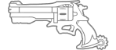 Peacekeeper
- 3 Bullets
- Has 2 passives
- Perfect range: Deals 50 more damage to enemies who are 8M or closer
- One in the chamber: Deals 75 extra damage to enemies hit by hit last bullet
 Lasso
Lasso
- Secondary is no longer fan the hammer, it is now a lasso
- Cooldown starts upon miss or if lasso is retrieved (2s)
- Will pull an enemy toward you
 Cybernetic pulse
- Flash bang replacement
- Close range projectile that deals 55 damage
- 2s cooldown
- Reloads Peacekeeper
 Roll
Roll
- If you hold down the roll key/button then you will leap upwards (must be on the ground to do this)
- 2s cooldown
- 3s cooldown if you use the leap
 Deadeye
- Roots himself and enemies caught in his LOS
- If you get an elimination with deadye, you get it again
Anchors
Damage heroes with strong abilities that can be used to hold or push onto points. Longer cooldowns than other damage roles
 Bastion
- Slower move speed
Health
- 4 Normal/ 296 Armor
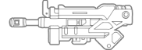 Recon
Recon
- Slower firing gun but deals more damage
- ammo reduced to 10
 Grenade
- Cannot fire them in recon form
- Speed and gravity changes
- Can fire them in assault form with 0s Cooldown
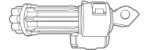 Assault mode
- Gets speed boost
- Can ram into people dealing 75 damage and sends them upwards
- Cannot fire primary
- Can only shoot grenades
- 15s Cooldown
 Artillery
- Bastion is completely invincible during artillery form
 Symmetra
- Has new mana meter which charges up by how much damage is dealt. Melee increases it by 10, anything elese increases it by 3.5
Health
- 125 Normal/ 175 Shield
 Primary: Magic volley
- No longer is a laser
- It is now a 5 shot volley that deals 22 damage per ball
- 8 rounds
Secondary: Magic burst
- No longer a chargeable projectile
- It is now a Aoe damage ability that deals damage in a radius of 8. Damage is calculated by how much mana is built up(Max 130 damage)
- CD 4s
Melee
- Sends a fast magic blast that deals 75 damage
Magical leap
- Pressing tp key now launches her upward
- 4s CD
 Splash bomb
- Pressing interact shoots a splash bomb that deals 10 damage but does a lot of knockback
 Turrets
- Turrets have no cooldown
 Soul seperation
- Using her ult fills up her mana and stuns enemies within a radius of 10 for 3s
Snipers
Damage heroes that excel at long range but have low HP
 Ashe
Ashe
Health
- 225 Normal
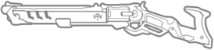 Viper
Viper
- Can only ADS
- Max ammo now 6
- Lights people on fire
- Deals an additional 50 damage to enemies 15M or farther
 Passive:Ashes to ashes
- Heals 1/3 of any burn damage dealt to enemies
 Dynamite
- Now forces players to hop when burning
- Detonates when it lands
- Cooldown 5s
 Force of nature
- Deals a lot of damage at close range
- Deals more knock back to Ashe and enemies
- Cooldown 10s
 BOB
BOB
- Is now an ability
- Press interact to gain Bob
- Bob only has 115 health
- Cooldown 10s
 Hanzo
Hanzo
Health
- 225 Normal
Passive: Head Collector
- Headshots reduce the CD of other arrows by 4s
Force palm
- Melee deals 60 damage
- Pushes enemies back
 Lunge
Lunge
- Distance increased
- Cooldown 5s
 Fire arrows
- Only has 3
- Cooldown 8s
 Frost arrow
- Hitting someone with this arrow will create an ice explosion after 0.75s freezing the victim and those around them(6M) for 1s
- Cooldown 12s
 Double dragon
- Those caught in this ult will be burned and frozen at the same time
Supports
 Brigitte
Health
- 225 Normal/75 Armor
 Shield
- 250 HP
- Is bigger
 Shield bash
- Distance travelled on the ground increased
- Knockback increased
- 4s cooldown
 Whip shot
- Pulls Brig towards target and stuns them for 0.3s
- Deals more damage to enemies in air
- 6s cooldown
 Fire strike
- Replaces armor packs
- Shoots a fire strike that deals 50 damage to enemies and heals 110HP to allies
- 1.2s cooldown
 Rally
Rally
- Makes Brig unkillable for the duration of ult
- Shield bash puts people to sleep while in ult
 Ana
Ana
Health
- 250 Normal
Syringe punch
- Melee puts people to sleep for 1.3s and goes on a 4s cooldown
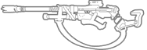 Primary
- Can only shoot while ADS
- Lower ammo(7)
- Gives temporary speedboost to those healed by her gun
 Passive: Camo
- Is invisible while crouching but cannot act during invis
- Top left notification
 Instakill dart
- Sleep dart has a 25% chance of instakilling
- 8s Cooldown
 Dizzy bomb
- Getting hit by this will make both allies and enemies dizzy for 1.5s
- 4s cooldown
 Nano
Nano
- If target recieved healing, her and her healee become invincible for 5s
 Zenyatta
- Is floatier and jumps higher
Health
- 3 normal/ 97 shield/ 125 armor
 Primary
- 2 burst orbs that knock people back
- no ammo
Secondary: spirit bomb
- Fires slow homing projectile that locks onto closest enemy
- Deals 150 damage and knocks people back
- 8s cooldown
 Disable
- Orb of harmony replaced with disable
- Stuns enemies momentarily for 0.5s and locks them out of abilities for 1s
- range is 15M
- 6s cooldown
 Psychic slam
- Discord replaced with Psychic slam
- Lifts all players in line of sight within 15m into the air and slamming them down dealing 60 damage and knocking them down for 0.5s
- 7s cooldown
Orbs of life
- Pressing interact will launch 3 homing orbs to closest ally to reticle
- Each heal 50 hp
- 0.8s cooldown
 Burning sun
- Heals allies and burns enemies in radius
 Kiriko
- Has a double jump
- Increased move speed
Health
- 225 Normal
Uppercut
- Melee is now an uppercut that launches her and enemies upward
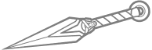 Weakening Kunais
- Enemies damaged by kunais will take 50% more damage for 1.5s
- Ammo reduced to 5
- If you press interact as you deal damage to someone you will teleport to them (2s cooldown)
 Fox protection
- Healing from ofudas reduce damage for 1.5s
- Only has 4 ofudas
 Foxspeed
- If there is no ally to teleport to you can use the ability to do a short dash and gain movement speed for 5s
- Will set cd for 6s after use
- Cannot jump while using foxspeed
 Healing Smoke bomb
- If healing is dealt with HSB, healee will be invisible for 1s
- 7s cooldown
 Kitsune guide
- When activating ult, allies within 10m of Kiriko will move 2x as fast for 5s
 Illari
Health
- 250 Normal
Slash
- Melee deals 75 damage
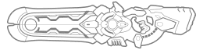 Solar rifle changes
- Ammo reduced 14->8
- Primary burns
- Secondary now empowers those healed increasing speed and damage by 25% and reducing damage recieved by 25%
 Sunburst
- Deals 75 damage plus burning
Scorch shot
- Pylon replaced with a new ability
- Shoots a fast projectile that bounces once that deals 75 damage and knocks enemies away
- Consumes a bullet
Flare shot
- A healing variant of scorch shot
- Heals allies 75HP
- Press interact to use it
 The Sun
- Those detonated by it will burn for a VERY long time
Tanks
Bruisers
They have the highest HP of any class and are meant to be on the frontline to take damage and to deal it as well
 Reinhardt
- Is bigger
Health
- 400 Normal/300 Armor
 Hammer
- Knocks enemies farther and to the ground for 0.2s
 Tough guy
- No longer has a barrier
- Now reduces damage taken to allies within 8M of him and himself by 60% but reduces speed by 20%
- Ring to indicate range
Fire strike
- Stronger, slower, and lights people on fire
- 6s cooldown
-
 Charge
 - Stuns pin target for 2s
- Moves a lot faster
- Knockback increased
- 11s cooldown
Rocket pack
- Pressing interact will launch Rein forward
- 5s Cooldown
 EarthShatter
- Knockdown time is now 5s
- Now grants a 30% slow to enemies who survive for 4s
 Junker Queen
Health
- 525 Normal
 Unyielding spirit
- Immune to most of the new CC abilities
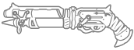 Scattergun
- Shoots slower
- Damage upclose increased
 Tag
Tag
- Meleeing or Landing secondary fire will teleport JQ to target and cleanse her of any negative effects
- TP cooldown 6s (same as blade toss)
 Carnage
- Will hack for 2s
- no cooldown
 Deafening Shout
- Stuns enemies within 15M of her for 0.7s
- 9s cooldown
 Rampage
- Hacks enemies for 5s # Displacers
Their main source of contribution is to displace enemies either by pushing them off points or to place them in range of your other allies to focus
 Doomfist
- Moves slightly faster and jumps higher
Health
- 420 Normal
 Primary
- Has 1 bullet
- Pulls people towards you
 Rocket punch
- Knockback increased
- 2s cooldown
Melee
- increased damage
- Knocks people down
 Slam
Slam
- Gives 25 overhealth upon use
- Deals more damage to those who gets hit with his arm
- Knocks Doomfist and targets up
- Pressing crouch will immediately slam down
- 3s cooldown
 Block conversion
- Will now convert damage taken while blocking to overhealth for him and his allies within 5M
- 5s cooldown
 Meteor strike
- Will now knock enemies down for 5s
 Zarya
Zarya
- Is bigger
Health
- 400 Normal/ 125 Shields
 Primary
- Deals 90% less damage
- Pulls enemies toward her
- Has only 50 ammo
Secondary
- Sends enemies towards her
- Drains 10% of ult from victims
- Is now a straight firing projectile
- Speed doubled
 Gravity bubble
- Jumps higher and has less gravity while bubble is active
Lariat
- Teammate bubble replaced with Lariat
- Hold down the button to make Zarya spin dealing 75 damage per 0.5s to enemies within 5M of her
- 2s Cooldown(Starts after releasing button)
Piledriver
- Meleeing an enemy while on the ground will lift both Zarya and the victim up then slamming them down dealing 100 damage
- Locks you out of melee for a short duration
Air grab
- Meleeing an enemy while you are on the ground and they are in the air will slam them to the ground, knocking them down for 1s and deals 100 damage
 Graviton
- Those caught in her ult will lose all of their ult charge
 Orisa
Orisa
Health
- 7 Normal/ 393 Armor
Melee
- Is now 2 hits that deals 80 damage in total
 Wind spin
- While using spin, Orisa gains a jump height and speed increase
- Blows enemies away
- 8s Cooldown
 Harpoon
- Enemies damaged by her harpoon will now be pulled towards Orisa
 Counter
- Fortify is now a counter, she teleports to the attackers dealing the damage dealt to her x2 and following up with a melee. It can loop if she recieves constant damage
- 6s cooldown
- Cannot be cancelled
- Is rooted
 Sandstorm trap
- Those caught in her ult are rooted and cannot escape
 Sigma
Sigma
- Jumps higher
- Lower gravity
Health
- 350 Normal/ 275 Shields
 Meteor toss
- Shield replaced with a meteor
- Deals 80 damage
- Goes in a straight angle
- Knocks enemies back
- 2s CD
Rock smash
- Accretion replaced with meteor crash
- Damages those around Sigma dealing 100 damage and knocking them away
- 5s CD
 Gravitational pull
- Kinetic grasp replaced with gravitional pull
- Pulls enemies towards sigma
- 6s CD
Meteor crash
- Upon activating ult you will summon a giant meteor that deals 300 damage in a large area






11 Comments
I started a game mode almost like yours where I'm changing most heroes so thanks for the inspiration
It's called Reflectowatch and the code is GEZW32 If you wanna check it out :)
Glad to have been an inspiration. I'll definitely check it out!
Hi, me again
I'm making a custom game with changed settings and stuff but the enemy team doesn't have the settings I saved and the projectiles are slow and have weird gravity. Do you know how to fix this lol
Also for the speed and gravity thing make sure you go into the rules and adjust the speed and gravity accordingly to what you want them to be. I chose 9.8 for gravity on Illari's scorch shot for example because that is the speed of gravity on earth 9.8m/s^2. Also something I learned while using the workshop is that if you change projectile speed and projectile gravity of heroes in the heroes section in settings it can mess with separate settings you have in workshop. For example if you set Pharah's proj. speed to 200% in the hero settings but have a rule where if she fires primary then proj. speed is 50% the values multiply so the projectile speed ends up being 100% for her primary. If you need more clarification on this as well let me know!
Hi, sorry for the late response. That's odd, make sure you have the option for team set to all. Or if not that make a separate set of rules for both teams but specify which team the rules are for. Like team 1 and team 2. If you need more clarification let me know!
I found the problem. All I needed to do was just go through the heroes and change their setting to be the same for both teams, thanks for the help
Just a Question, How do you take up Ammo with abilities like Illari and Her new Scorch Shot ability?
We have 3 rules for that, in the first we have the conditions if Illari is using x ability and the other conditon being that her ammo !=0 and in the actions we have the set ammo subtract (ammo-1). The other 2 rules just give her the animation of throwing the scorch shot, so not that important but if you wanna know about that too, I'd be happy to give you more insight. I hope this helps! If you have any other questions let me know.
For the first rule you stated, could you give me more specifics or the actual code you used.
Thanks a lot!
Edit: I'm currently working on Cassidy in my own custom game as a support. Do you know how to heal allies if you shoot them (if you can)
Really appreciated
This is the exact code we used for scorch shot. The 3 rules are:
rule("Scorch shot")
{
event
{
Ongoing - Each Player;
All;
Illari;
}
conditions
{
Is Using Ability 2(Event Player) == True;
Ammo(Event Player, 0) != 0;
}
actions
{
Cancel Primary Action(Event Player);
Create Projectile(Pharah Rocket, Event Player, Null, Null, To World, Damage, All Teams, 75, 0.500, 5,
Brigitte Repair Pack Impact Effect, Explosion Sound, 0, 40, 5, 20, 1, 9.800);
Set Ammo(Event Player, 0, Ammo(Event Player, 0) - 1);
disabled Loop If Condition Is True;
disabled Wait(0.500, Ignore Condition);
disabled Wait(2, Ignore Condition);
disabled Small Message(Event Player, Custom String("Scorch ready. {0}", Ability Icon String(Hero(Moira), Button(Ability 2))));
}
}
rule("scorch shot animation")
{
event
{
Ongoing - Each Player;
All;
Illari;
}
conditions
{
Ammo(Event Player, 0) == 0;
}
actions
{
Disallow Button(Event Player, Button(Ability 2));
}
}
rule("Scorch shot animation2")
{
event
{
Ongoing - Each Player;
All;
Illari;
}
conditions
{
Ammo(Event Player, 0) > 0;
}
actions
{
Allow Button(Event Player, Button(Ability 2));
}
}
As for the cassidy thing I think it has something to do with ray cast.
Thanks so much!