
Super Bowmberman


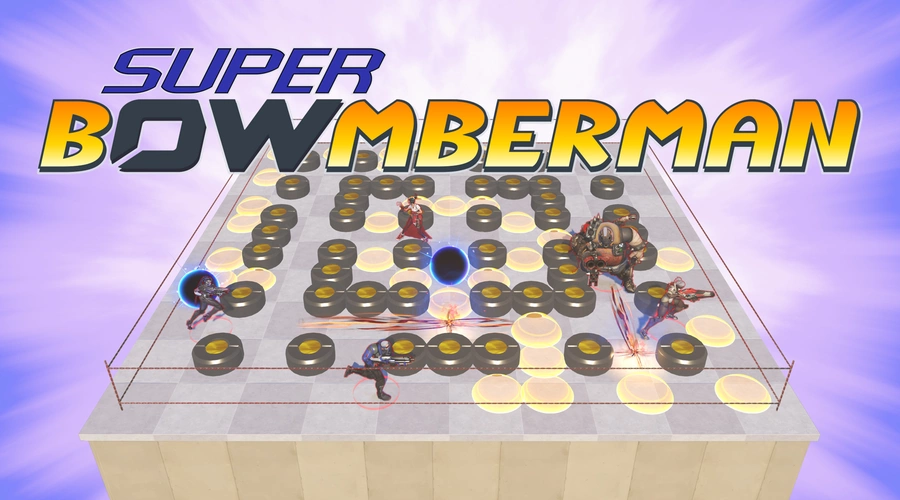
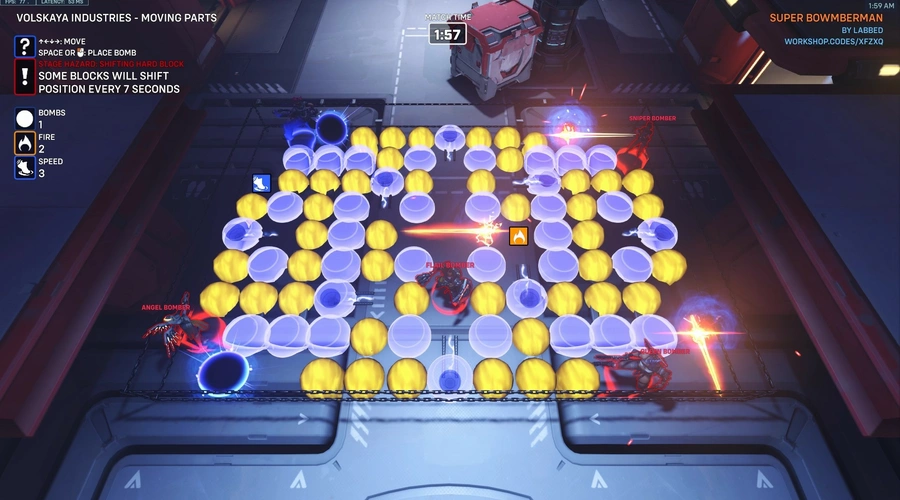
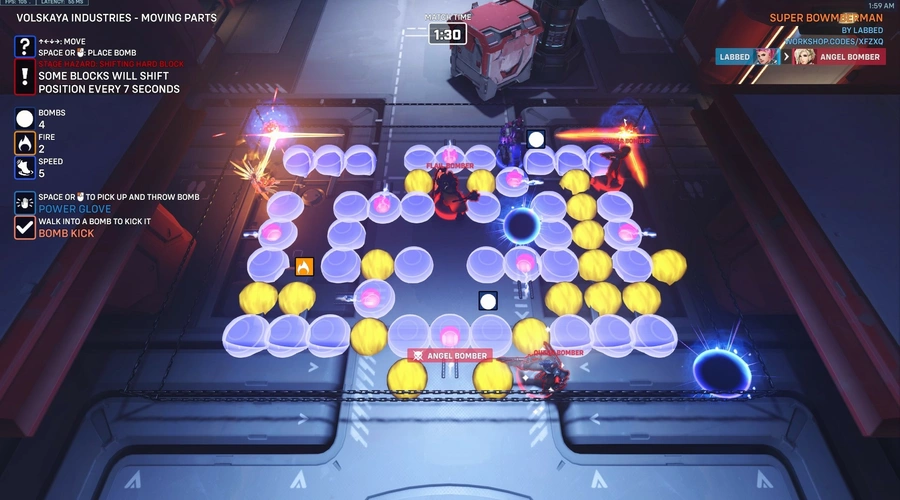
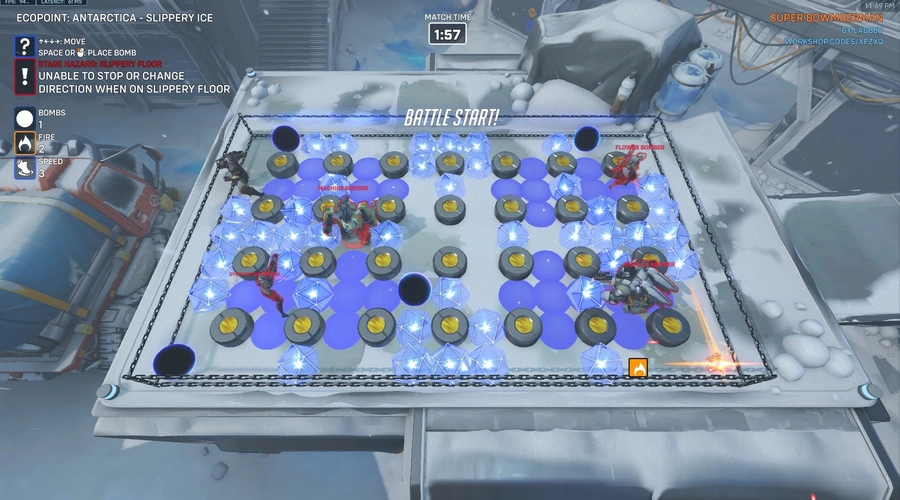
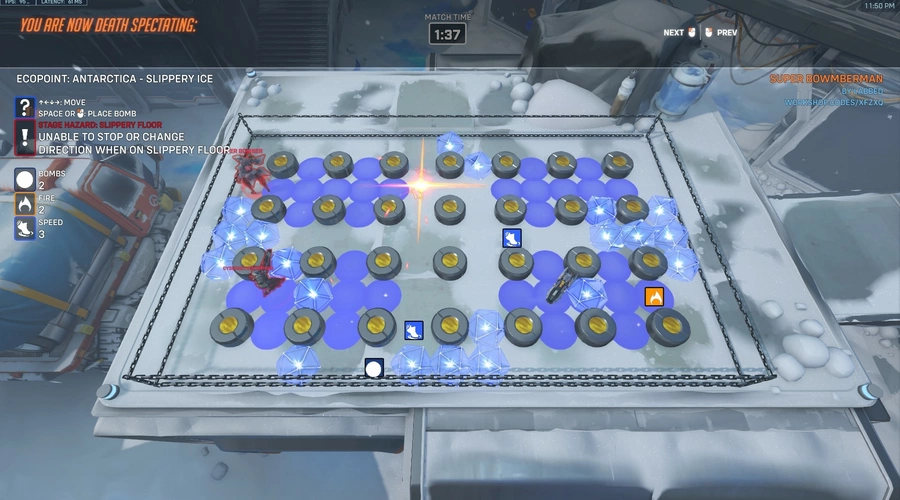
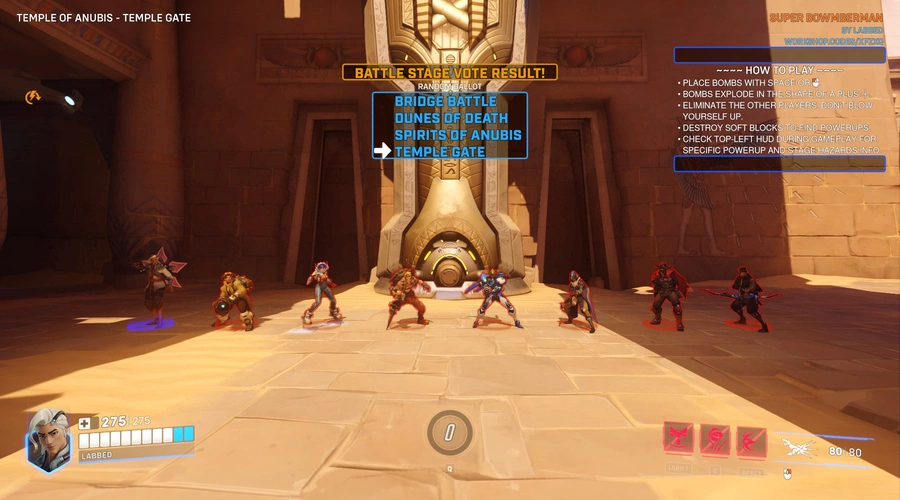
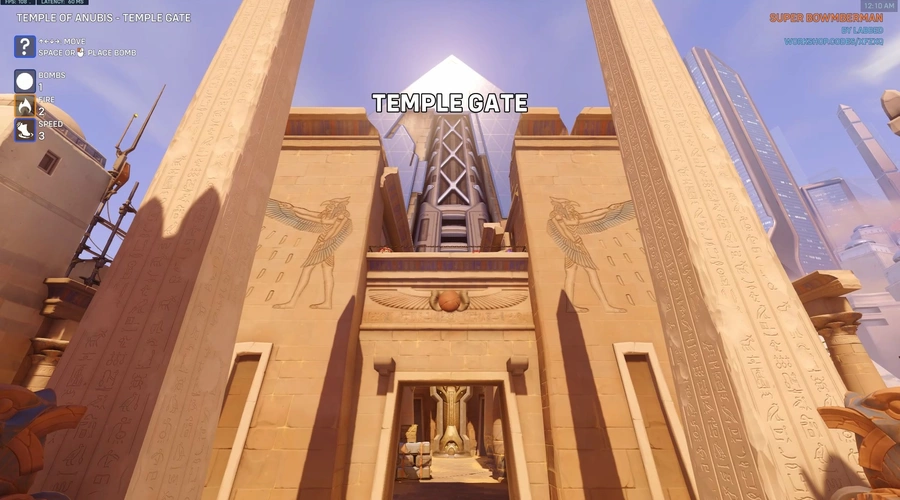
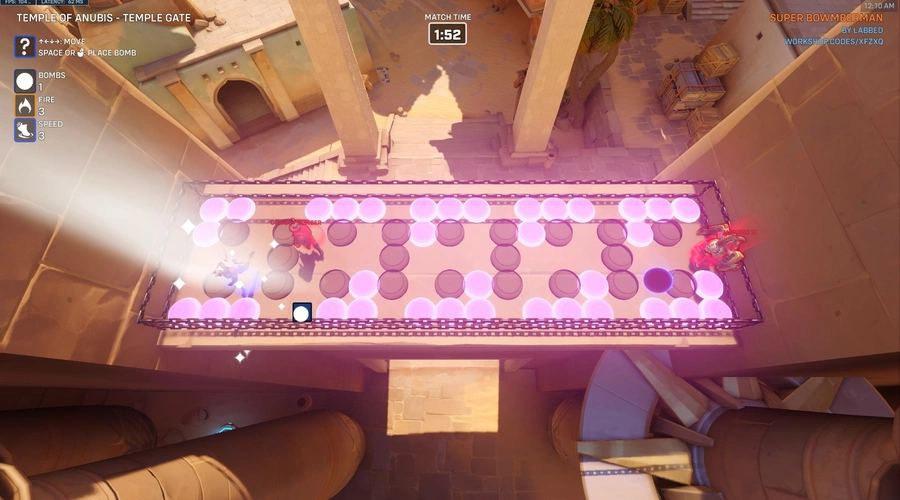
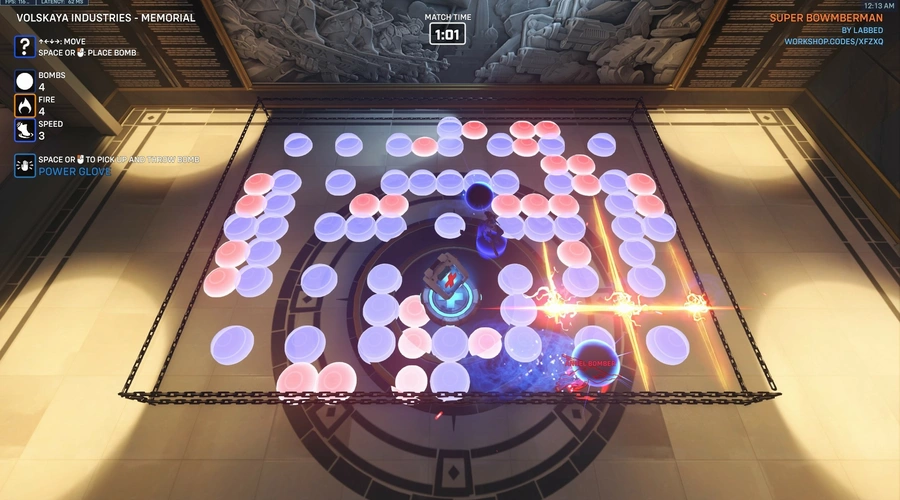
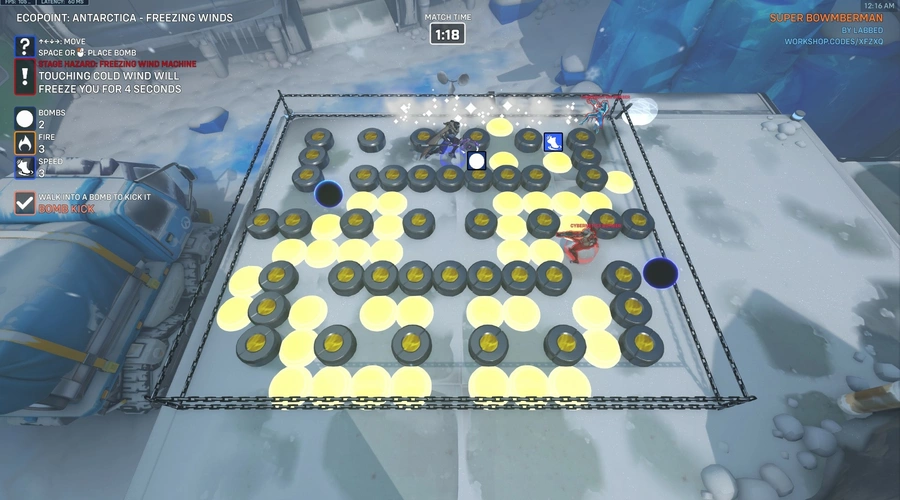
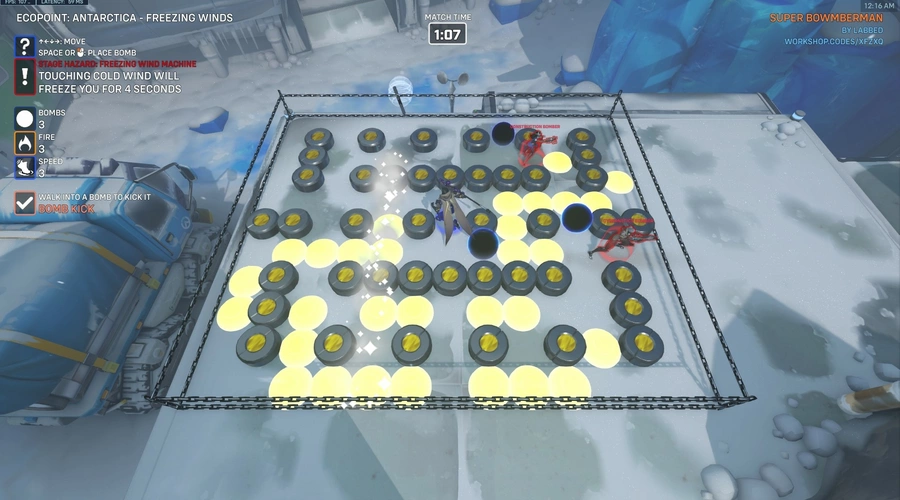
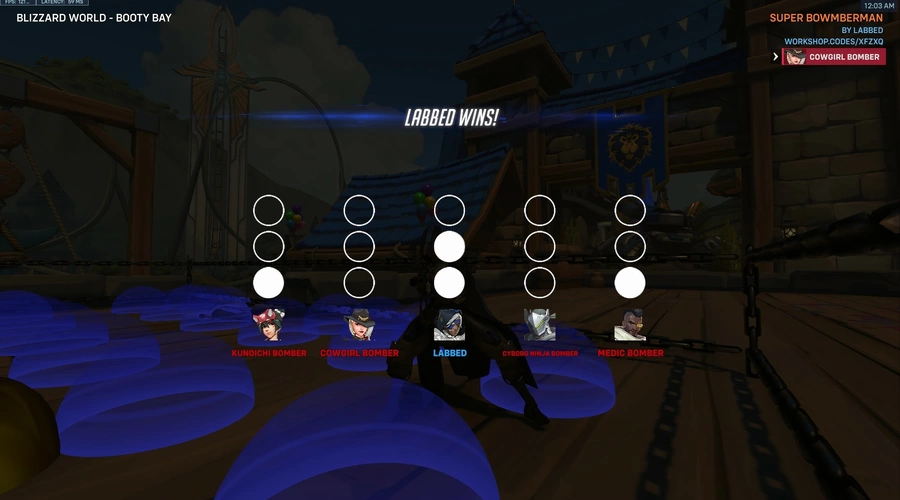
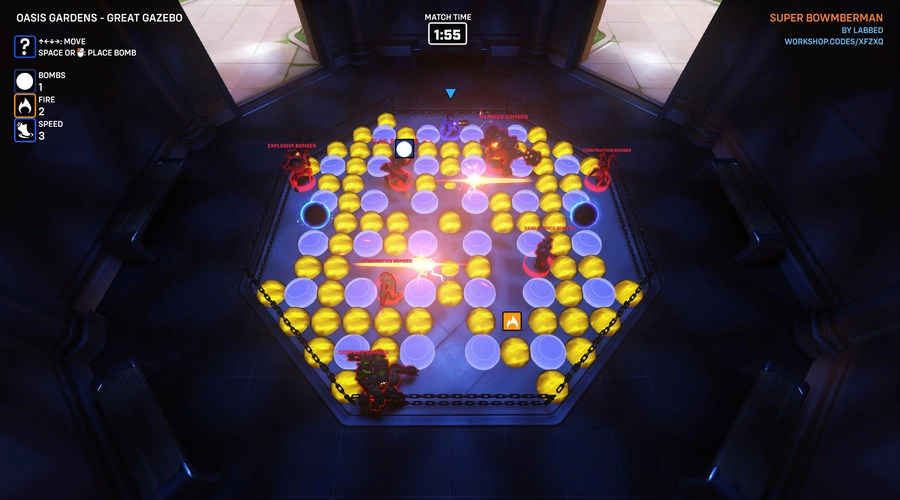

It's Bomberman in Overwatch! Eliminate your enemies with strategic bomb placements, and find powerups to help you become the last hero alive!
Features
- Classic Bomberman gameplay.
- Powerups.
- Over 40 unique battle stages spread across different maps.
- Supports up to 8 players, with stage variants based on player count!
- Battle stage vote with random ballot.
- Stage hazards on some maps with fun gimmicks to change up the gameplay.
- Play with bots! You can play an entire match against bots if no one joins, and if someone leaves mid-game, they will be replaced by a bot.
- Sudden Death. When the match duration exceeds a set period of time, hard blocks will fall from the sky in a spiraling pattern, crushing anyone beneath them and limiting the play area, quickly forcing the game to set.
- Match score! Winning or drawing a round grants you a point. The required score needed to win can be configured in Workshop Settings.
Powerups
All soft blocks have a chance to contain a powerup. Collect as many as possible to increase your chances to win, and to deny them from your enemies!
Powerup descriptions
| Type | Description |
|---|---|
 Bomb amount up Bomb amount up |
Allows you to place more simultaneous bombs. |
 Fire up Fire up |
Increases the range of your bombs' blast. |
 Speed up Speed up |
Increases your movement speed. |
 Heart Heart |
Survive one hit from explosions or stage hazards. |
 Bomb kick Bomb kick |
Allows you to kick bombs. |
 Power glove Power glove |
Allows you to pick up your bombs and throw them away. |
Battle stages
Each map has a selection of battle stages you can choose from through the battle stage vote system. Press interact during the lobby phase to vote for your favorite stage!
If there are conflicting votes or no votes, the stage will be decided through a random ballot.
Each stage has a 2-5 player variant and a 6-8 player variant. The images below show only the 2-5 player variant of each stage. The 6-8 player variants have some adjustments to fit more players, and may be larger, but the location and general theme is the same.
Maps and stages
Blizzard World
| Image | Description |
|---|---|
|
|
Booty Bay New! Battle on the bay! A tall standard stage with a funky layout. |
|
|
Reign of the Black King New! Many bad spirits hang about here! Don't let them influence your fate! |
|
|
Storage Room New! A generic storage room where things can be repaired and such. For some reason, there are conveyor belts going across the stage! The gryphon is out of commission and won't bite. |
|
|
Surveillance Room New! Keeping track of everything happening in the park is a tough job. Watch out for those switches! |
Ecopoint: Antarctica
| Image | Description |
|---|---|
|
|
Break Room New! A standard stage, in the break room. |
|
|
Freezing Winds Watch out for the cold wind generator! Get hit by the freezing wind, and you will be frozen solid for a few seconds. |
|
|
Helipad A standard stage located at the helicopter spot. |
|
|
Slippery Ice This stage has ice. Once you start slipping, you can't stop or change direction. Slip carefully! |
|
|
Windy Bridge New! A wide stage on one of the bridge sections. Don't get caugh by the freezing wind! |
Horizon Lunar Colony
| Image | Description |
|---|---|
|
|
Airlock New! A stage inside one of the airlocks. Watch out for those rows of shifting hard blocks! |
|
|
Go Bananas New! Did you know there are bananas on the moon? Anyway, this is a standard stage with... no soft blocks?! But instead, a lot of powerups, for anyone to grab! You better get them, before your enemies do! |
|
|
Hydroponic Tank New! A wide standard stage on top of a hydroponic tank. |
|
|
Space Suits New! Going for a space walk? Don't forget your space suit! |
|
|
Training Facility New! A treadmill going around in the center, and portals? Crazy. |
Ilios Ruins
| Image | Description |
|---|---|
|
|
Labyrinth New! You have been thrown into the Labyrinth! Few, if any, escapes this elaborate, confusing structure alive. You must find your way through the maze, and... Is that the Minotaur?! |
|
|
Maze New! A standard stage with a maze-like layout. |
|
|
Meander New! A standard stage with a meander-like pattern as its layout. |
|
|
Mosaic New! A standard stage where you can appreciate some mosaic art while you eliminate each other. |
|
|
No Shade New! Greece is hot. To avoid heat stroke, you need to find a way to cool off. Oh look, water! |
Kanezaka
| Image | Description |
|---|---|
|
|
Cat Café A stage located in Kanezaka's Cat Café! Take a shortcut with the portals to get around the apparently massive table. |
|
|
Kitsune Rush A standard stage outside the Tetsuzan shrine. |
|
|
Mall Split This stage is divided into two sections. The only way to get to the other side is through the portals. |
|
|
Pachimari FunFun! A stage in the cheerful Pachimari FunFun!™ arcade! No time for crane games now though! Travel through whimsical portals, connected in a daisy-chain, to surprise your enemies (and perhaps yourself). |
|
|
Tora no Sumika Hashimoto clan's hangout. Evil forces reside here. Watch out, or you will get sucked through the floor! |
Oasis Gardens
| Image | Description |
|---|---|
|
|
Angry Bees New! Do not anger the bees. |
|
|
Fountain Block New! A wide and divided stage with portals going through the big block in the center. |
|
|
Grass Patch New! A somewhat wide standard stage on a neat patch of grass. |
|
|
Great Gazebo New! A stage with an octagonal layout inside the central gazebo. |
|
|
Ledge Time New! Battle atop the ledge above the point! This stage has a T-shaped layout. |
|
|
Oasis Oases New! Yo dawg, I put some oases in your Oasis, so you can oase while you oase. |
Temple of Anubis
| Image | Description |
|---|---|
|
|
Bridge Battle A standard stage on the small bridge near Point A. |
|
|
Dunes of Death It's hot in the desert. On this stage, you must cool yourself off in the oases once in a while, or you will die from dehydration! |
|
|
Spirits of Anubis Ancient spirits roam this place. Be careful, or they will send you to the underworld! |
|
|
Temple Gate A wide standard stage atop the gate to the temple. |
Volskaya Industries
| Image | Description |
|---|---|
|
|
Balcony Battle A wide and cramped stage on Katya Volskaya's balcony. |
|
|
Conveying Around This stage has a conveyor belt going around the stage. Perhaps it was once used in the manufacturing process of Volskaya Industries. |
|
|
Katya's Bed A standard stage taking place in Katya Volskaya's bed. |
|
|
Memorial It's time to pay respect to the brave soldiers who sacrificed their lives during the Omnic Crisis. |
|
|
Moving Parts This stage has a few special hard blocks which shift their position every 7 seconds. Be careful not to trap yourself, and be extra careful not to get crushed by the shifting blocks! |
Workshop Chamber
| Image | Description |
|---|---|
|
|
Corner Case A standard stage located in a corner. |
|
|
Evil Fours New! There are four evil forces. Evil Fours. Get it...? Anyway, be careful! |
|
|
Filling the Chamber A standard stage occupying the entire chamber. |
|
|
Think Outside the Box A standard stage on top of the chamber. How did you even get up there? |
Workshop Island
| Image | Description |
|---|---|
|
|
Middle Ground A normal-sized standard stage in the middle of Workshop Island. It is slightly rotated for some reason. |
|
|
Side Portals New! A fairly normal stage but with portals connecting the sides. |
|
|
Single tile A small standard stage occupying only a single tile at the corner of the island. |
|
|
The Whole Thing A large standard stage, occupying the whole island...! |
(All other maps)
If you try to play on a map not supported by the game mode, there will still be three somewhat playable stages for you. The locations of these are automatically generated based on spawn points. They usually have some map geometry on them causing a less-than-great player experience. It is recommended to only play the supported maps.
| Image | Description |
|---|---|
|
|
Unsupported vanilla A standard stage with nothing fancy going on. |
|
|
Unsupported portals A stage with portals connecting the left and right side, and another set connecting the top and bottom side. |
|
|
Unsupported Evil Force A stage with two Evil Force entities. |
Planned features
- Possibly more maps and stages. We'll see!
Let's have a blast!
I hope you enjoy this game mode. If you have any feedback, please let me know by leaving a comment! Please also consider adding this mode to your favorites, here on Workshop.codes and in-game!
Have fun!
Source code
Loading...




31 Comments
This is an incredibly well-made game mode! However, I've discovered a small bug.
When a bomb’s position is altered — such as by throwing, kicking, or conveyor belts — its visual effect fails to update synchronously, even though the explosion logic functions perfectly as intended.
I managed to fix this issue by adjusting the parameter settings in the PlaceBomb rule.
Your creation has been ported to the server I play on. The porter only translated the text and did not modify any core parameters. I also checked your latest original code afterward and confirmed the parameter error exists within the PlaceBomb action.
I’m not sure if this bug also occurs on your original server, or if this parameter was accidentally changed during your updates.
Hello, gbee2002! Thank you for your feedback!
I am unable to reproduce the issue you're experiencing. Bombs move around as expected for me.
Which parameter, more specifically, were you able to change to make it work?
Whether it’s the early code from the original porter or the v2.1 version I copied from this website, the final Reevaluation parameter for the effect creation action in the PlaceBomb rule is consistently set to Position Radius and Color, completely ignoring the Visible To setting. I believe this parameter was properly configured in your original tests, as there is no reason for cross-server porting to alter this specific option.
After correcting this setting, visual effects for mechanics like conveyor belts and kick abilities now update properly. However, a new issue has appeared with thrown bombs — a problem that likely went unnoticed before due to the previous visibility bug. Currently, thrown bomb landing points sometimes spawn on obstacles or fail to align with the grid. Additionally, their visual removal and explosion logic do not trigger at all, ultimately leaving me unable to place any bombs whatsoever.
I would greatly appreciate it if you could check and fix this issue when you have time. I absolutely love this custom creation.
Bomb visibility never changes so it doesn't need to be reevaluated. On my end though, it is included, the full reevaluation parameter is set to "Visible To Position Direction and Size" and has been the same since version 1.01.
Can you verify that you're seeing these issues with the official import code XFZXQ? That's the only version I have control of.
Unfortunately, our servers are different, so your code XFZXQ cannot be imported directly into the game. I first logged into the Asia server, imported XFZXQ, exported the rules, copied them into VS Code, and then pasted them onto the server I play on.
In VS Code, I confirmed the parameter was indeed missing Visible To. I previously thought the issue stemmed from the bomb position variable. I suspect there may have been an error during conversion. I’ll also log back into the Asia server to double-check this parameter in-game.
As for the incorrect landing position when throwing bombs, this issue is unrelated to the above parameter. Could you try to reproduce this bug and provide a fix? Thank you very much.
Update: I’ve logged back into the Asia server, re-imported the code XFZXQ, and checked the rules directly in the Workshop. The Visible To parameter is definitely missing from the PlaceBomb Create Effect action.
I think I've heard some actions in Workshop are translated incorrectly when dealing with non-English languages, so some things may change. If possible, change your client language to English before exporting and importing. Also, you mentioned that the reevaluation parameter is "Position Radius and Color", but this isn't even a valid value for projectile effects.
I haven't been able to reproduce the incorrect landing bug you're describing. Could you provide video footage of the bug, or consistent reproduction steps?
What’s really strange is that other rules—like the obstacle creation in "SUB Generate Stage"—have the exact same parameter setup as PlaceBomb, yet only this rule got altered.
I can reproduce the incorrect bomb landing position very easily, especially in Blizzard World’s Storage Room and Volskaya Industries’ Conveyor Belt section. Unfortunately, I can’t upload images or videos here to show you, otherwise I would’ve sent them over.
You could upload images or a video to some other service and link it here.
If not, can you provide more detailed reproduction steps? Do you throw the bomb at a specific spot, etc?
https://i.postimg.cc/Jh4NNBvy/2026-4-24-21-17-34.png
https://postimg.cc/k2zR9Dn9
I just logged into the Asia server and tested with the latest imported code.
Before the game started, I increased the acquisition chance of the bomb-throwing ability. After obtaining the ability in-game, I placed a bomb and pressed the key again to pick it up. The bomb lifted correctly to the overhead position.
However, when throwing it toward an open area with no obstacles, or across a single obstacle into empty space, the bomb spawns on top of obstacles without snapped coordinates, falls out of bounds, or remains at the elevated overhead height. I have even observed bots reproducing this exact issue.
I have also discovered a new behavior. Bombs that land in unintended positions due to the throwing glitch can be moved once the kick bomb ability is unlocked. Additionally, they can be detonated and removed by a second placed bomb.
I previously consulted an AI about this problem. It explained that there is no pre-calculation for the landing position, and recommended adding collision validation and position resetting after the bomb lands.
I will try to find a platform to upload screenshots for you. Thank you for your patience and assistance.
I see what's going on now. For whatever reason, when you export the code, Workshop rounds all values to three decimals, so
0.0625becomes0.063, which is probably why the bombs end up in the wrong spot if their velocity isn't accurate.I have published my original source for this mode now (check the "source code" tab). It has all the correct values, and even some helpful (and possibly confusing or outdated) comments. Importing this should work.
Thank you so much for willing to share your source code!
I now understand the bomb’s flight logic. The tiny offset of 0.0005 accumulating each frame ends up causing such massive deviation!
I tried directly changing the value in the rules to 0.0625. Even though it displays as 0.6 after confirming, the full value is still retained internally, and everything works perfectly in-game.
I’ve also come up with a proper solution! Instead of using fixed numerical values, let the Workshop calculate it in real time. Switching the value to 1/16 completely fixes the issue!
I’m really thrilled to have this resolved!
Global.bombSpeeds[Global.i] += Vector(0, 1 / 16, 0);
1 / 16uses more actions than0.0625, so it's usually a good idea to pre-calculate constant values. I just wish it wouldn't cause issues with the export. I'm glad it works for you now! Have fun!This is the best workshop I have ever experienced. Blizzard needs to add this as an official mode.
This is amazing! Is there any way to play with bots and players?
Hello, and yes! The lobby owner can add AI bots in the lobby. They will be converted to dummy bots with custom AI. Also, if a player leaves mid-game they will be replaced by a bot.
Thanks for your comment!
Omg the new throw animations are so good! Love the fact that you cared to add such a small (but great) detail! :D
Haha, thank you! Small detail indeed, but it always irked me a bit that those two didn't have a proper bomb throw animation, and some players might be confused about why those two are left out, so I fixed it.
Very cool gamemode
The best gamemode I've played personally, this is so much fun when playing with friends!
Love it! would love more custom game from you!
Thank you! I have a few ideas for more game modes. Stay tuned!
There seems to be an issue when importing to the Xbox version. When you import the game it keeps saying the error "invaild description in game settings". I've tried changing almost everything and it still has that error. I did get to work once but I'm not exactly sure what I did that fixed it.
This does not happen on PC, but I went through each rule on my Switch and found four rules triggering this. Apparently the words "pos" (as in position), "kill" and "blizzard" are not OK. I changed the words used in these rules. Does it work for you now?
This is so polished, it's good enough that you could actually play it instead of regular Bomberman games. Great job!
The polish is incredible
I agree with Albeeno the game is really well made the most things I like wich is the maps, camera transitions, win cam, support for bots, abilities, and maps intro additions I think would make the game better is add a bomb timer and remove play of the game
Thank you! I wish we could have more control over POTG in Workshop. As it is now, the game thinks any emote is POTG-worthy (even more than kills and score for some reason) which is usually during the lobby phase before the actual game starts... I'll consider removing it.
I'm a bit more hesitant about adding a bomb timer. It adds a bit of visual clutter which I'm trying to avoid, and it could give you a false sense of security, since a bomb can explode before its timer runs out if another bomb explodes into it. Also, part of the challenge is to keep track of all bombs in play, and prioritize which ones to hide from first.
Thanks for your feedback!
The game is really well made but I do feel that the map should switch only after the player wins 2 or 3 times matches. With that it also lets you play the other stages a bit more.
This is now implemented. Thanks for your suggestion!
This could work well if you're playing with friends who won't leave mid-game. Otherwise I don't want the games to last for too long. Many people play while queueing for something else, and are likely to leave at any moment.
I'll definitely consider your suggestion, and if I decide to implement it, I'll make it a setting!