
Map Grid Tool

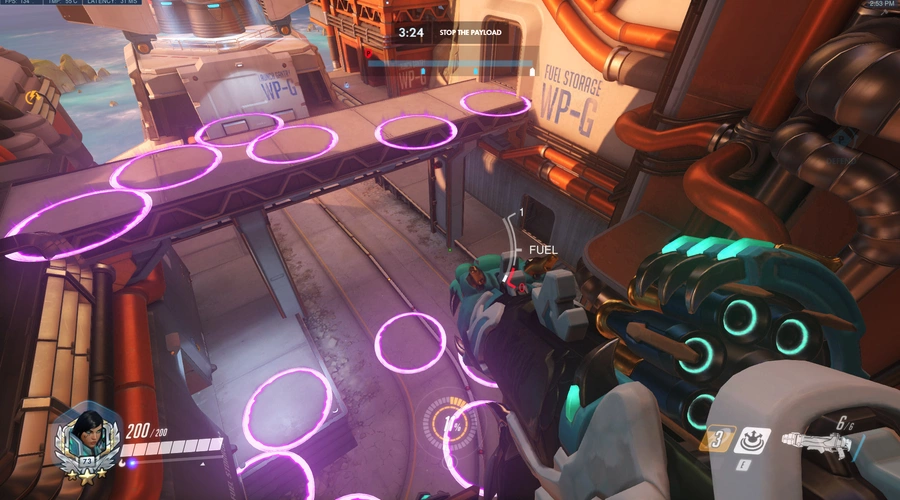
View original size
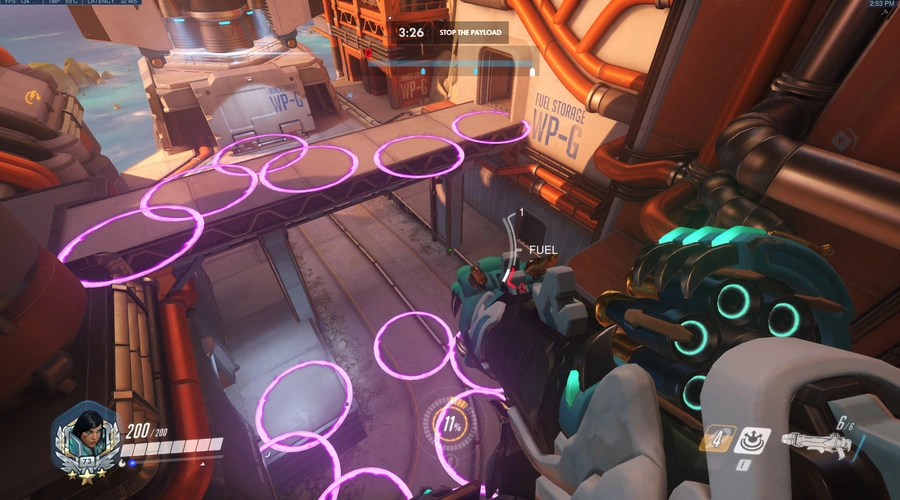
View original size

View original size

View original size
Purpose:
- This tool is designed to allow users to quickly cover maps in Overwatch with random points that can be used in gamemode development.
Usage:
- In order to use the Map Grid tool, use the command "start rule" (recommended) or "call subroutine" in your code and call the subroutine "generateMapGrid" to begin creating points.
- Be sure to give the tool some time to run (the longer the better, but at least 10 seconds is recommended), such as during a setup period.
- The tool can be a bit intense on server load so try to run it during a time when few other scripts are running.
- Follow the comments in the tool to set a maximum number of points and conditions for when the tool will stop creating points.
- The points are stored in the global variable "mapGrid" to be used.
- Commands labled "TESTING ONLY" can be disabled at any time.
- Feel free to make any changes or customizations to this tool.
Importing:
- If you are attempting to import this tool into an existing gamemode, be careful as the global variables used in the Map Grid tool may overwrite any in the existing gamemode.
Functional Maps:
- The Map Grid tool works on all maps listed in the settings here.
- All escort, hybrid, assault, control, capture the flag, push, and flashpoint maps.
- Deathmatch/Team Deathmatch versions of Ecopoint, Necropolis, Castillo, Black Forest, Chateau, Petra, Kanezaka, and Malevento.
- This tool is bugged on regular King's row due to the PVE area. Winter King's Row is fully functional.
- Any maps not listed here have either not been tested or have bugs.
Example Use Cases:
- The Map Grid tool has been used for the gamemode Zombie Survival Missions.
- It is used for randomly spawning objectives, objects, and entities around the map for players to interact with.
Questions:
- If you have any further questions, you can leave a comment here on workshop.codes and I will try to get back to you when I can.
Source code
Loading...






4 Comments
i really want this to work, but sometimes bots spawn outside the map and im not sure how to manipulate how spawns are generated. awesome concept though
This code is a little outdated. I have a more current version that I use for Zombie Survival Missions (MPJFR). However it does not work with some maps like Overwatch 2 Kings Row and many deathmatch maps that have had barriers added to them since the points can spawn outside of those barriers.
What maps are you encountering bugs on? If you have interest in using the tool, I could probably get an updated version and upload the snippet.
Edit: Never mind, I just went ahead and copied the newer version of the tool. I also updated the description for newer map types.
well i was eventually going to do all the maps with easter eggs and less about missions but hidden stuff. kinda like cod. anyways, generating spawns manually is ok, i just wished there was an all map tool for generating spawn locations. lmk how this works for my current map, antarctic peninsula. thanks a ton for even updating your project!
Sure. You just reminded me there was one last thing I needed to update so it works properly on control maps. I made the change and it should work properly now. Now all you should have to do is call the "generateMapGrid" subroutine in your code and add an end condition in subroutine.
There should be a comment that tells you where to add this. Be default, the map grid tool will stop running when the game is in progress.
I also recommend using the "start rule" command to call the "generateMapGrid" subroutine.
Let me know if you have any other questions.