
(Not So) Simple Menu

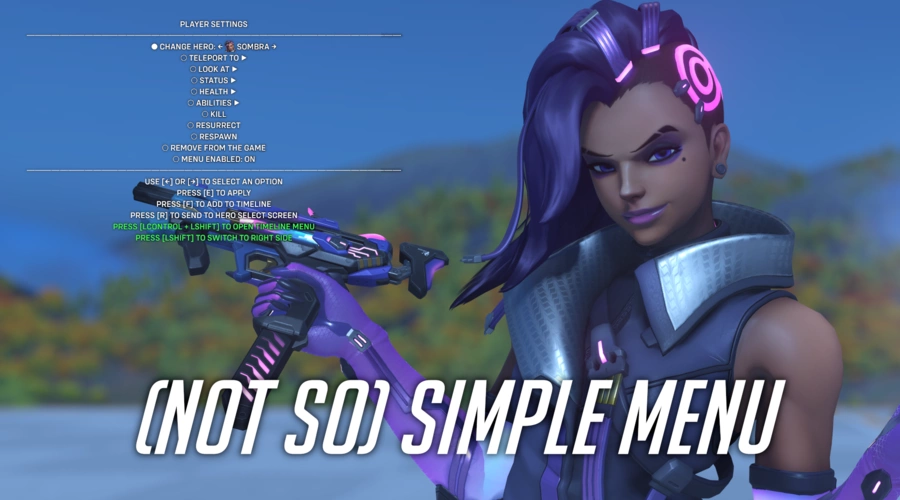
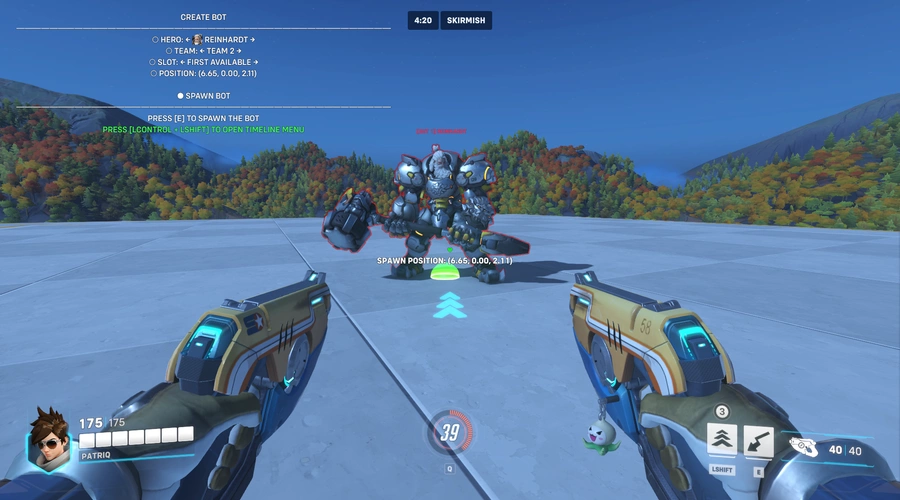
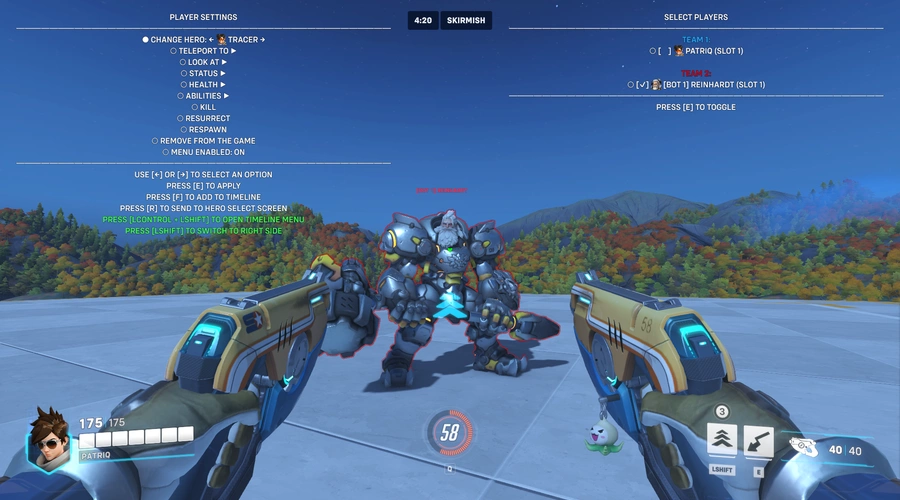
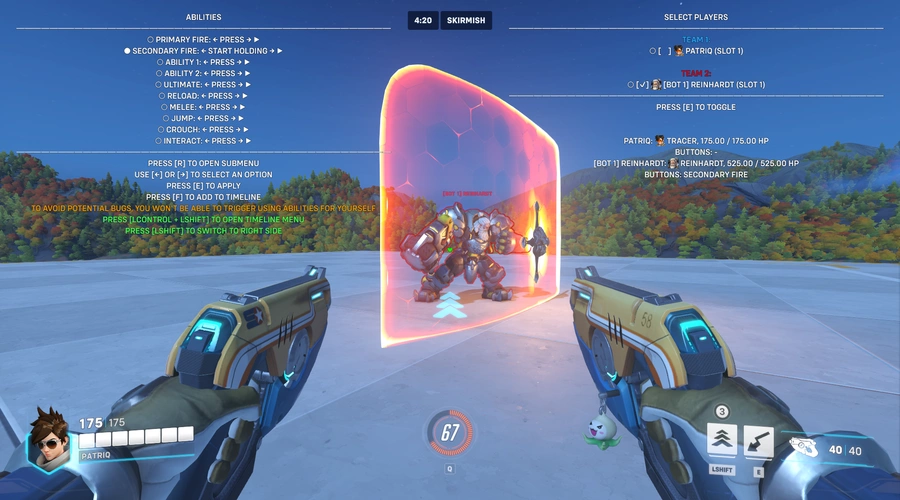
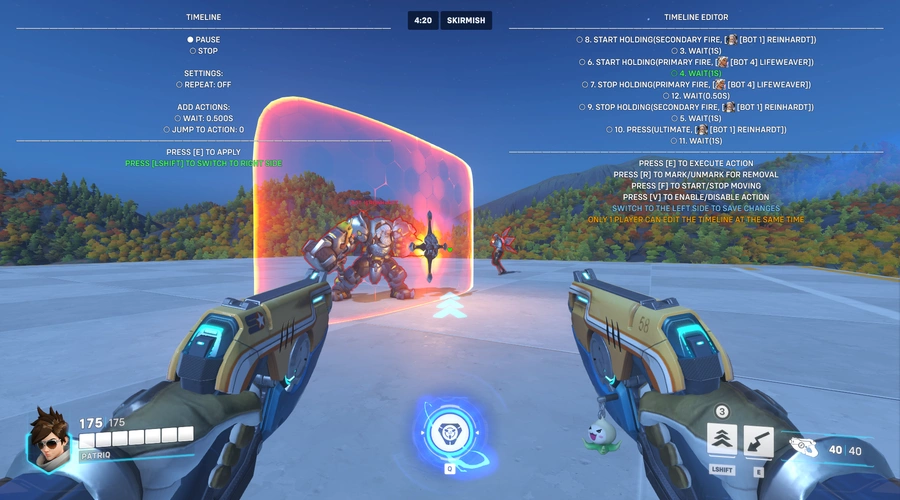
(Not So) Simple Menu is a fully featured menu system that allows you to execute some built-in actions at runtime, without the need of fiddling around in Workshop Editor and restarting the match every time you make a change in the code.
NEW: Check out (Not So) Simple Menu - Stadium Edition - a fork of this mode for Stadium!*
It allows you to:
- Create dummy bots
- Change players hero or send them to Hero Select screen
- Teleport players:
- to a selected position
- to payload or objective
- to another player
- Set looking position of players (once or over time):
- to a selected position
- to payload or objective
- to another player
- to looking position of other player
- Apply statuses (Asleep, Hacked, Unkillable, Phased out, etc.)
- Control abilities:
- press, hold, or spam button
- set current and max ammo, cooldown, resource or charge
- enable infinite ammo, no cooldown, infinite resource or charge
- Set current health or max health, enable auto heal
- Display info about player's health, position, speed, pressed buttons etc.
- Show healing and damage taken by other players above their heads
- Immediately grant maximum perk level
- Pause/unpase match time and specify a custom one, declare round/match draw or victory
- and more...
Most of these actions can also be added to the Timeline, which allows you to create a playable action set that can be played on repeat even with the menu itself being closed.
*Stadium Practice Range is still available in this version
Low FPS when navigating the menu
▼
This is an in-game limitation - having too many HUD or In-world texts, which often change their contents, can greatly lower game's FPS even on powerful PCs
Menu sometimes freezes for a few seconds, sometimes it also disappears
▼
This can (very rarely) happen if you've been using the menu extensively. Unfortunately, I don't know the reason for why exactly this is happening, but once it does, after toggling it off and on the menu should be back to normal
Server is crashing while navigating the menu
▼
Workshop was never really designed to support such advanced menu system. Having multiple players use it at the same time or quickly opening submenus and going back is very taxing for the server. Make sure to limit how many players are using it at the same time and/or give it a second or two between opening and exiting submenus
After pressing Play in the Timeline menu, the server is crashing
▼
If you enabled the Repeat setting or you've added Jump to action action, make sure that you also have at least one Wait action added in between too, especially if you have a lot of actions added in the Timeline
Jump to action/Repeat aren't working
▼
There's an internal safeguard that disables these actions and this setting if there's no Wait action added somewhere in between in the Timeline and the flow would end up in an infinite loop. Otherwise it would end up crashing the server
After opening menu, nothing happens when pressing buttons
▼
If you use toggle crouch, make sure to press crouch again after opening the menu, even though your hero isn't crouching. Otherwise the game will keep seeing the button as being constantly pressed - even though it isn't - which stops every menu action from executing
Source code is available on GitHub
Controls
 +
+


 +
+


 +
+

 +
+




![𝓞𝓿𝓮𝓻𝓕𝓻𝓲𝓮𝓷𝓭𝓵𝔂 [The Most Powerful and Comfortable] v.1.1](https://cdn.workshop.codes/5csj8os6ws1w94a43gc6x8p3yc93)


7 Comments
This is actually useful for testing, thanks
My suggestion: Make the Position, Facing and Speed meter also display the percentage by which the player is speed boosted if they are.
That's actually really good idea. Unfortunately Workshop doesn't expose such information by default. The only way to do that would be to calculate it manually by having a bot or a player continuously walk forward/sideways and then compare their movement speed to their base speed (which, by the way, also isn't exposed in Workshop so I would have to rip that data from wiki for every hero).
Additionally this mode is already pushing the limits of how much stuff I can implement - my Workshop's element count is at 32359 out of 32768 possible - so I would have to rewrite and simplify most of my code, which, honestly, is probably never gonna happen since dealing with Workshop is just PITA these days.
You could try checking if CactusPuppy's toolbox mode has such functionality, and if it doesn't, asking him if he's be interested in implementing it (sorry Cuppy 😅).
No need to calculate the base speed, the default speed is 6 m/s for Genji and Tracer and 5.5 m/s for other heroes. Team 4 doesn't make that exception for new heroes anymore so their base speed is also 5.5 m/s.
I've added a very basic speed boost % indicator in the latest version - it only compares player's current movement speed to their hero's base speed (so 5.5 m/s for everyone except Genji and Tracer).
I mean, you're partially correct. Base speed is the same for most of the roster, but what I've meant are the "special" cases where players are using their abilities, for example when crouching player's speed is reduced to 3m/s, Hammond's speed is 10m/s in ball form, Soldier's sprinting speed is 8.25m/s, Rein's speed with shield up is 3.85m/s etc (more exceptions here: https://overwatch.fandom.com/wiki/Movement_speed). And unfortunately, handling all these cases would require a ton of work (and honestly, there's a very high chance it wouldn't be possible to handle some of them because of the current state of Workshop).
Anyway, regardless if we care about these special cases or not, the best I could do is to show a percentage of how much player's current speed differs from their base speed - which would most likely be doable with the limit of ~400 elements. But if I also had to add a setting to have a bot attached/following you (so they can consistently apply their speed boost to you), or just walking in any direction (so you can apply speed boost to them), then there's no way I'm going to fit all of that into the ~400 element count.
thank you patriq, very cool