
Ability Range Visualizer [No further updates]

This code is over 6 months old. The code may have expired and might no longer function.
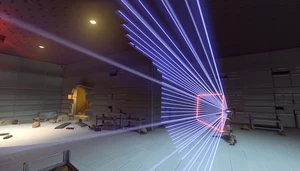
In this workshop, you will be able to visualize the area of effect of all heroes' abilities.
Select "CHOOSE ABILITY" from the menu to see the list of visible abilities of the hero currently in use.
(Press the interact button to select it.)
Choose any ability from the list.
After choosing, select "HIDE THE MENU" or "EXIT" from the main menu to hide the menu.
You can check the distance of abilities with unclear effect ranges, so you can
This will help you get the most out of your heroes.
Press and hold the interact button and release to open the menu to switch abilities.
By rediscovering the range of abilities, you may find a different way to fight.
For abilities that have distance decay, you can toggle the display of the range where the distance decay occurs by pressing the interact button when the menu is not displayed.
Pressing the interact button will toggle the start and end range of the distance decay. This will be useful for checking the positioning that can produce the most damage.
As for the ability to throw objects, if you press the interact button when the menu is not displayed, the viewpoint will switch so that you can see the point of impact.
You can also check the trajectory of the thrown object. This will help you get a better idea of how it will fly.
When you use the CAMERA MODE, you can objectively check your abilities. When "10M AHEAD" is selected, the camera will be set to 10 meters away.
This is recommended when you want to see from your opponent's point of view, or when you want to see what kind of parabolic path your abilities will take to reach them.
You can also use "SET CAMERA POSITION" to set the camera to a desired position, so you can check abilities with a wide range.
Dummy bots can be placed at any position from the "CREATE DUMMY BOT" menu. Use this when you want to check the distance and abilities.
You can adjust the range of abilities for each hero in the workshop settings. You will be able to see the changes made when adjustments are made due to experimental or other reasons.
Updates will continue to be made as abilities are adjusted and changes are made in Overwatch 2.
[Menu Description]
PLAYER SETTINGS
You can adjust the information displayed on the screen and the cooldown time of abilities.TELEPORT
Teleports you to a location on the map.SET CAMERA POSITION
Sets the individual viewpoints.CAMERA MODE
Execute this mode when you want to see from an objective point of view.CHANGE HERO
Changes the hero.CREATE DUMMY BOT
Creates a dummy bot.CHOOSE ABILITY
Select visible abilities for the current hero.EXIT
Closes the menu.
Source code
Loading...





6 Comments
Thx for your work ! It's cool to see the range of all abilities
Thanks! I hope this helps you out!
I will take the time to make a long comment, because this workshop code is incredible and I love it! I can visualize abilities of all the heroes and it's so easy to use. There is an explanation for everything inside the game so I could immediately start using it. It has really helped me understand doomfist's abilites, and the damage at different distances for Ashe, scoped and unscoped.
Another thing is that you can make bots with any heroes, anywhere on the map, and it will show you the distance and how much damage you're doing to it. Also, you can move the camera to third person so that you can understand what you are doing.
And I just realized it is the same person that did Ana reaction! Ana Reaction practice range is my favorite workshop code EVER and the most impressive game! And now the same person has made this code that's just as impressive!
Good job D4iChiN and thank you!!! <3
Thanks so much for all your comments!
I am very happy and very touched to read your comments and it makes all the hard work of creating this workshop and the Ana Reaction workshop worthwhile.
I promise to keep creating more great workshops in the future!
This code is crazy! There is so much in a single workshop! I had no idea bap's falloff range was so short, and Ashe's dynamite area is much bigger than I realized. Can't wait to play around with it more. I think anyone can benefit from this. Even if you know everything about the abilities in theory, the visualization really helps your instincts during game.
Thank you! I'm so glad I could be of help to you. I decided to make this workshop because you're right, what you know as numbers and what you actually see are often different results. I hope you enjoy Overwatch more.