
TX Browser

TX Browser
A tool for browsing and viewing in-game textures and their corresponding TX value, that can be used to get any available texture anywhere in a text string.
Can be used in mode descriptions (only visible on the favorites tab), or in a HUD Text or In-World text, in your Workshop mode.
What is 'TX'?
The game's text rendering system has a built-in formatting system that allows developers to change the color of text mid-string (inline), and also to include a texture/icon anywhere in the string. This is achieved by using specific commands, similar to HTML or Markdown.
For textures, you use the command <TX [address]>, for instance, "Good luck <TX C00000000005A0D> Have fun!". The TX Browser allows you to browse through all textures that are loaded in-game.
How to use
Create a new custom game using the code (8B9H1).
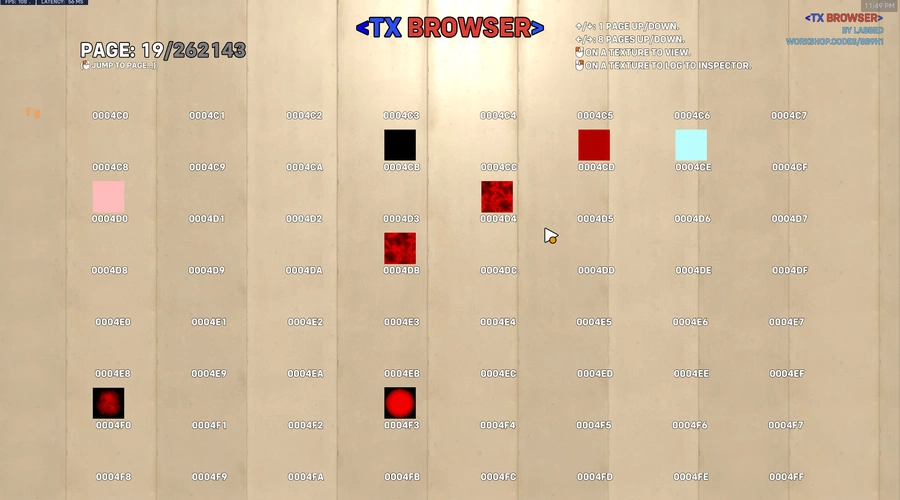
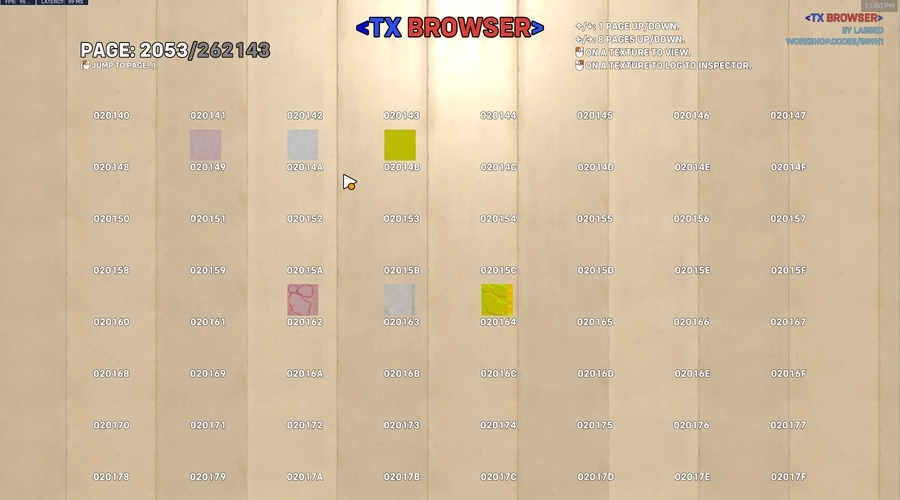
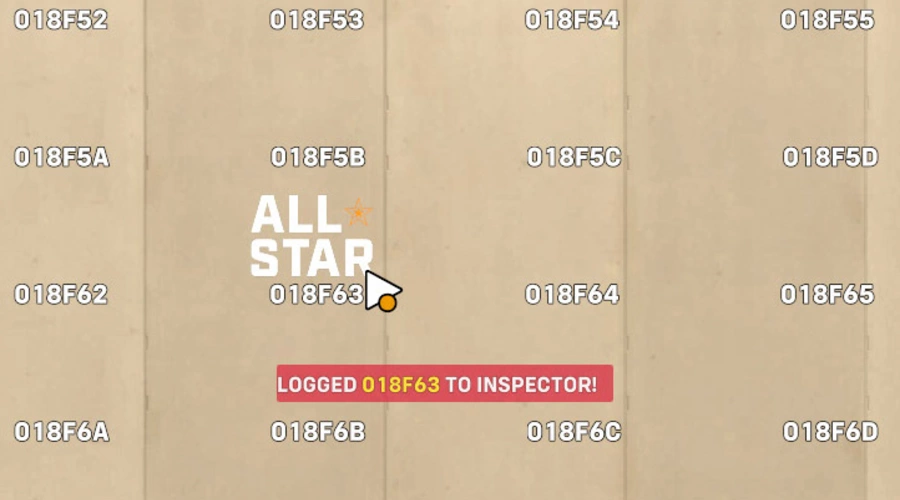
The tool displays 64 values and textures per page (8 × 8). Use your movement controls to browse to a different page.
The game also has a cursor :3
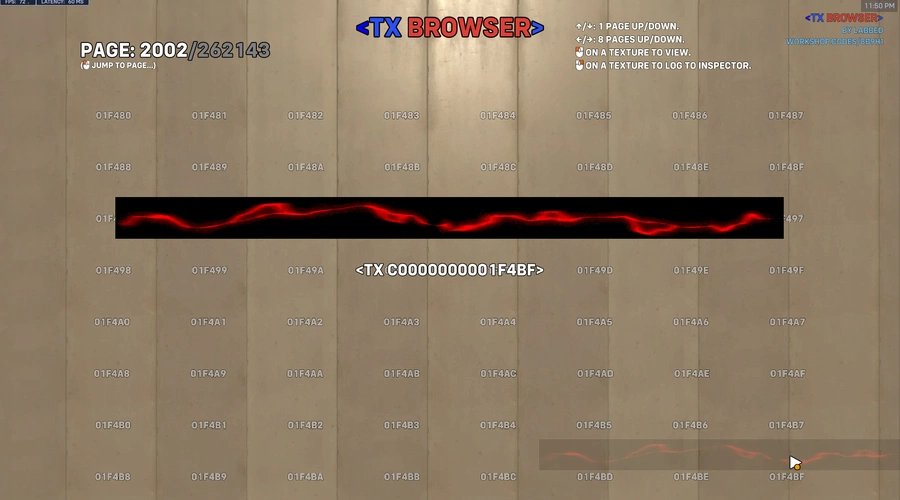
Point on a texture you like, and use Primary Fire to view a bigger render of that texture. Use Secondary Fire to log that texture's TX value to inspector. This allows you to copy and paste it easily.
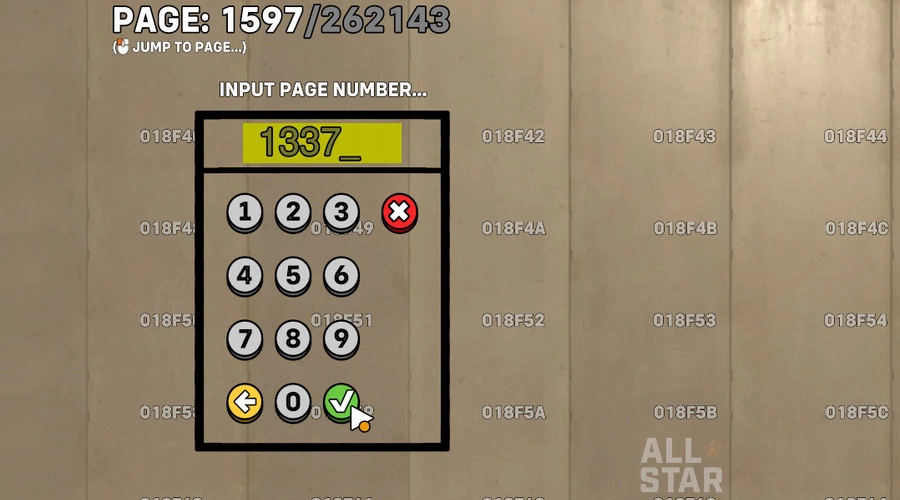
You can also click on the page display to input a specific page to jump to.
Using a tx value in a workshop mode
To do this, you must first setup the "TX bypass", which can be achieved by copy and pasting the following snippet:
TX Bypass snippet
variables{
global:
0: holygrail
}
rule("By Zezombye - Setup <tx> bypass to get an unsanitized '\\<' character <fgFFFF00FF>(also you can get colors in rule names now lmfao)</fg> <TX C00000000000003>"){
event{Ongoing - Global;}
actions{Create Dummy Bot(All Heroes, Host Player, False, Null, Null);
Start Forcing Dummy Bot Name(Last Created Entity, Custom String("______________________________________________________________________________________________________________________________〼"));
Global.holygrail=String Split(First Of(Last Created Entity), Empty Array);
Start Forcing Dummy Bot Name(Last Created Entity, Custom String(
"______________________________________________________________________________________________________________________________ࡀ"));
Global.holygrail = String Slice(String Replace(Custom String("______________________________________________________________________________________________________________________________〼"),
Global.holygrail,First Of(Last Created Entity)),126,True);
Destroy All Dummy Bots;
"At this point the <fg> bypass is set up and you can use the holygrail variable to get the unsanitized '<' char."
Create HUD Text(All Players(All Teams),Custom String("{0}fgFF0000FF>R{0}fgFF7F00FF>a{0}fgFFFF00FF>i{0}fg00FF00FF>n{0}fg0000FFFF>b{0}fg4B0082FF>o{0}fg8B00FFFF>w{0}fgFFFFFFFF> text\n{1}",Global.holygrail,Custom String("{0}tx C00000000000003>",Global.holygrail)),Null,Null,Left,False,Color(White),Null,Null,Visible To and String, Default Visibility);}
}
Log a cool texture to inspector (secondary fire), open Workshop Inspector and copy the logged data, and paste it into a Custom String. Replace the pasted < with {0}, and put Global.holygrail as the Custom String's first value (the value of {0}).
Example: Custom String("I {0}TX C00000000017112> you...", Global.holygrail)
Why use this tool instead of DataTool or similar?
This browser runs in-game, which means it only shows textures that are loaded by your client, which is perfect if you want to find a texture that you can actually use in your custom game.
Also this means you won't have to download any external tools. Which also means you can use this on any platform that runs Overwatch 2.
Limitations
- The textures shown are not guaranteed to always exist. Some textures are loaded dynamically based on the hero you select, which map is played, your equipped sprays, etc. Textures may be different on different versions and platforms, as well.
- The browser "only" supports values from C00000000000000 to C00000000FFFFFF (that's 16 777 215 values). I have no idea if there are any valid textures past that, but if so, support for that could be added.
- There is no way for the game to know if a texture actually exists or not, so you will see many empty spaces as you browse.
- Some textures are wide… and they can obscure an entire row of textures. You may need to click on some spaces that are obscured to see if any cool texture is hiding behind that wide texture.
Credits
Huge big thanks to Zezombye for re-finding this exploit, that allows us to use TX, and also fg, in workshop modes.





10 Comments
insane work thank you for the mode but also for the detailed explanation !
Also i would like to suggest , you should make a blank rule named "ConsoleUser Copy This" , with inside it the barebone setup for the glitch so its easy to import .
Again Thanks !
Not a bad idea. I'll consider it! Thanks for your feedback!
This is amazing lol. Will definitely be using this to find proper icons in my future projects. Thanks bro!
Oh, also I found ]EN[. (replace the square brackets with the less and greater than symbols) I have no idea what it does, I'm thinking it has to do with entities, but I don't know.
Thank you! There are a bunch of commands that are either useless or doesn't seem to do anything at all. I listed all I found here on the discord: https://discord.com/channels/570672959799164958/1280745526257647689/1358902597901090986
According to Js AKA Impotter, "<en> is used only in trTR. I think its literally just to indicate that a string is english for other languages. maybe something to do with text rendering."
It doesn’t work anymore it just set ur camera to 0.0.0
Fixed! Thanks for reporting this and for your help testing and debugging!
Ur welcome glad to help
I opened the biggest action and my game froze
as cool as this whole thing is, this menu and the cursor are pog af and should not go unnoticed