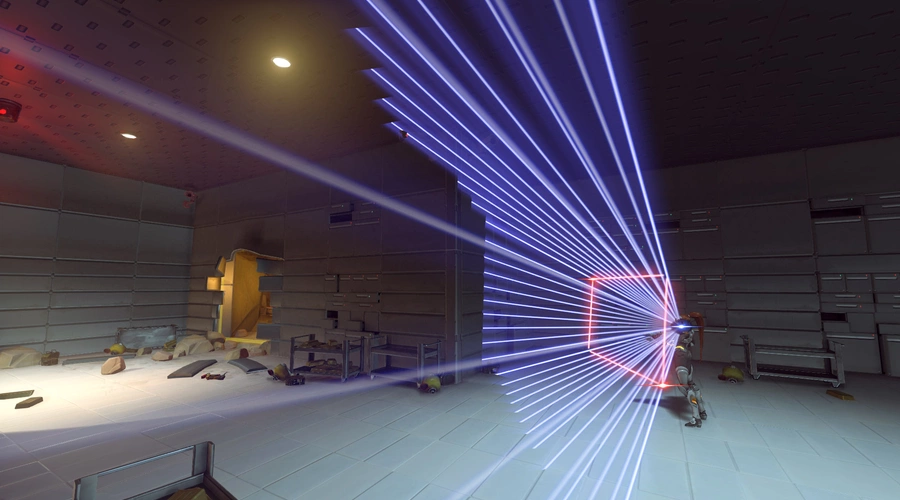
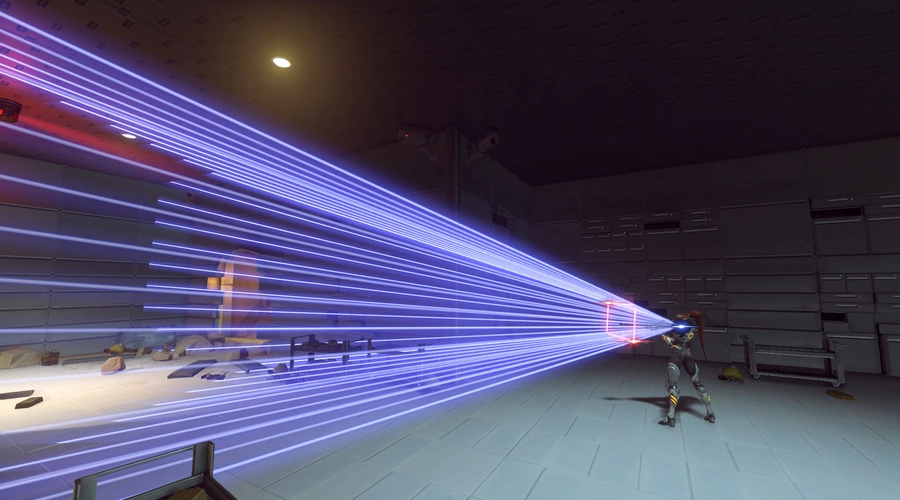
A simple tool to visualize Field of View.
Aspect ratio and FOV can be changed under workshop settings (Default FOV = 103)
- Press [Interact] to toggle between different cameras.
- Hold [Interact] to change hero.
- Hold [Reload] and use [Primary Fire] / [Secondary Fire] to change the visualized FOV while ingame.
Use scope with Widow/Ana/Ashe to see their scoped FOV.
(Some tanks appear to either have higher FOV than what you set it to, or an offset for their camera. i have not looked into this yet)





![Ability Range Visualizer [No further updates]](https://cdn.workshop.codes/ji4xlkndreqtlupcalc3too1jqoh)


3 Comments
theres a way to see the fov in first person?
I don't know much about how all this stuff works, but if you could answer a question for me it would be very helpful.
Would it be theoretically possible to make it so that when you adjust your FOV using this workshop mode, the game would save that as your new FOV and persist even after you left the match?
Unfortunately not possible, the workshop can never adjust your settings in any way. But you can compare different FOV visually and then change it yourself in the video settings.
The HFOV (Horizontal Field Of View) value shown in the top right in this workshop is in the same format as what Overwatch uses so you can just enter that under Options > Video > Field of view (min 80 and max 103 for PC).