This code is over 6 months old.
The code may have expired and might no longer function.
View original size
View original size
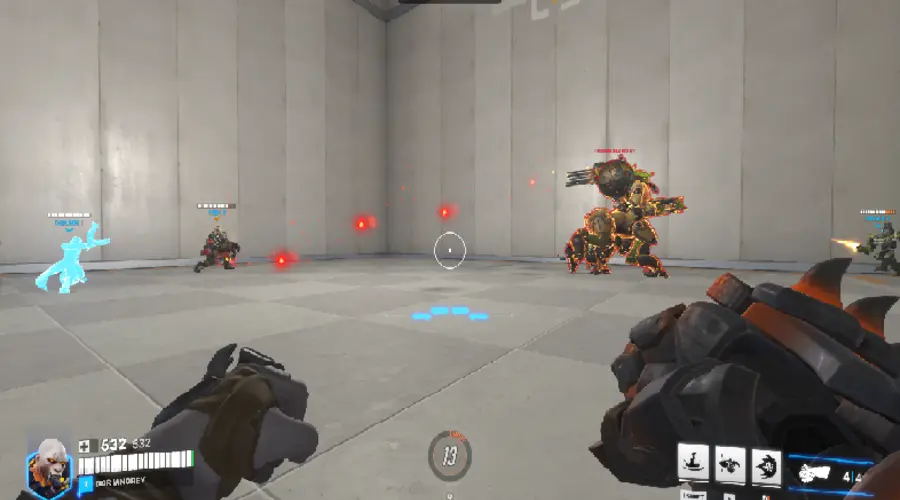
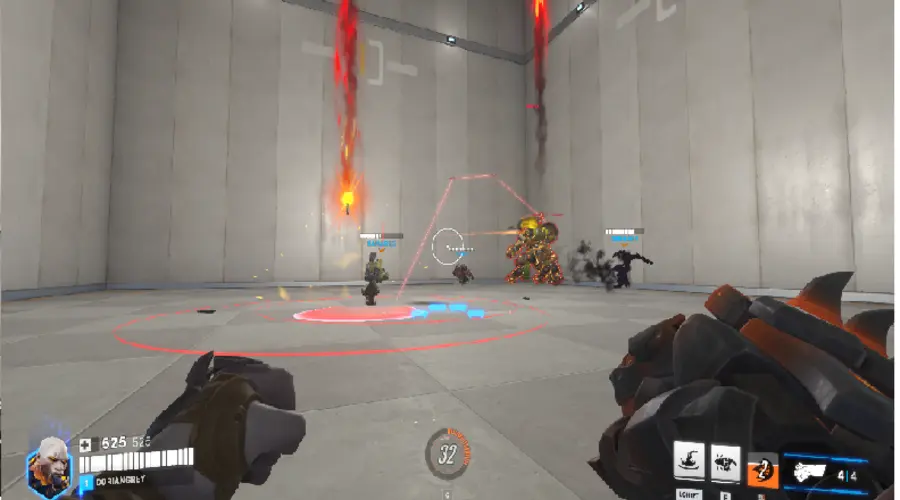
Raid Boss base on a suggestion made by DaPvEboi a while back and uses his ideas. The boss has different 2 parts (so far) that need to be destroyed to remove the boss's armor and limit his attacks. Orignial Idea linked at the top.
You get 5 lives to lose collectively and the boss wins.
I would like to know, how do you make these special warning indicators? Some of them seem understandable enough but the indicator for the charge is something I can't wrap my head around.
You use a chasing variable to get the distance. Then you create the sphere, but you place them lower than the ground based on how big you want the circle to appear on the Y axis. Then the x and z axis you get are based on where you want the line of circles to project. For example, the first circle is the position is the player. The last position is where the circle is projecting its self. All the circles in between are percentages of the distance between your first and last circle. A is your first circle. B is your last circle. To get the middle circle you would do (1,1,1) * 0.50 + (10,10,10) * 0.5 to be in the middle. (1,1,1) * 0.25 + (10,10,10) * 0.75 would be a circle closer to the beginning. As long as you add up to 100% is won't get messed up.
Its the same except. its more like you the first part is where the circle is and the last part is where you want it to go. its A * 0.50 + (A + Direction towards(A,B) * C (is the chasing variable) * 0.50. A * 0.50 is half of the first vector. A + Direction towards(A,B) is the direction you want to cast the circle. C is chasing variable that will allow you to project in a direction a rate. the 0.5 is half of where you're projecting it. all you do then is change the percentages so that is scale the way you want.
The next part you could add to the fortress is some sort of part that spawns basic melee enemies just like my version. It could also deploy a huge amount of enemies once it's destroyed.







8 Comments
I would like to know, how do you make these special warning indicators? Some of them seem understandable enough but the indicator for the charge is something I can't wrap my head around.
You use a chasing variable to get the distance. Then you create the sphere, but you place them lower than the ground based on how big you want the circle to appear on the Y axis. Then the x and z axis you get are based on where you want the line of circles to project. For example, the first circle is the position is the player. The last position is where the circle is projecting its self. All the circles in between are percentages of the distance between your first and last circle. A is your first circle. B is your last circle. To get the middle circle you would do (1,1,1) * 0.50 + (10,10,10) * 0.5 to be in the middle. (1,1,1) * 0.25 + (10,10,10) * 0.75 would be a circle closer to the beginning. As long as you add up to 100% is won't get messed up.
Its should be under "Line AoE".
Its the same except. its more like you the first part is where the circle is and the last part is where you want it to go. its A * 0.50 + (A + Direction towards(A,B) * C (is the chasing variable) * 0.50. A * 0.50 is half of the first vector. A + Direction towards(A,B) is the direction you want to cast the circle. C is chasing variable that will allow you to project in a direction a rate. the 0.5 is half of where you're projecting it. all you do then is change the percentages so that is scale the way you want.
Dude… This is an awesome boss! I love the minigun animations and the missile launcher indicator a lot.
However, I think the “cleave” thing should be a little smaller but a little faster to compensate.
Thanks ! I shrink the field a bit and sped it up a little.
The next part you could add to the fortress is some sort of part that spawns basic melee enemies just like my version. It could also deploy a huge amount of enemies once it's destroyed.
Ooooo. Time to try this out later :0